---
title: Squarespace GEO Checklist: 10 Proven Steps (Easy Wins)
url: https://sukeshdas.com/squarespace-geo-checklist/
description: Squarespace GEO checklist: 10 proven checks with exact menu paths, fixes and time estimates so ChatGPT, Perplexity and Google AI can find and cite your site.
---
[Home](https://sukeshdas.com/)[Blog](https://sukeshdas.com/blog/)[Squarespace](https://sukeshdas.com/category/squarespace/)
# Squarespace GEO Checklist: 10 Proven Steps to Stop Being Invisible to AI
By Sukesh Das October 3, 2026 12 min read
On this page
1. Squarespace GEO checklist summary table
2. How should I use this Squarespace GEO checklist?
3. What is GEO, and why does a Squarespace site need it?
4. Check 1: Are AI crawlers allowed on your Squarespace site?
5. Check 2: Is llms.txt enabled?
6. Check 3: Are your pages clear and answer-first?
7. Check 4: Have you added FAQ schema?
8. Check 5: Is your LocalBusiness schema complete?
9. Check 6: Do you show author names and credentials?
10. Check 7: Is your content fresh and dated?
11. Check 8: Do you cite stats and sources?
12. Check 9: Are your NAP details consistent?
13. Check 10: Is your Squarespace site indexed in Bing?
14. How do I score my Squarespace GEO checklist?
15. What this Squarespace GEO checklist can’t do
16. Squarespace GEO checklist FAQs
17. Want me to run this checklist for you?
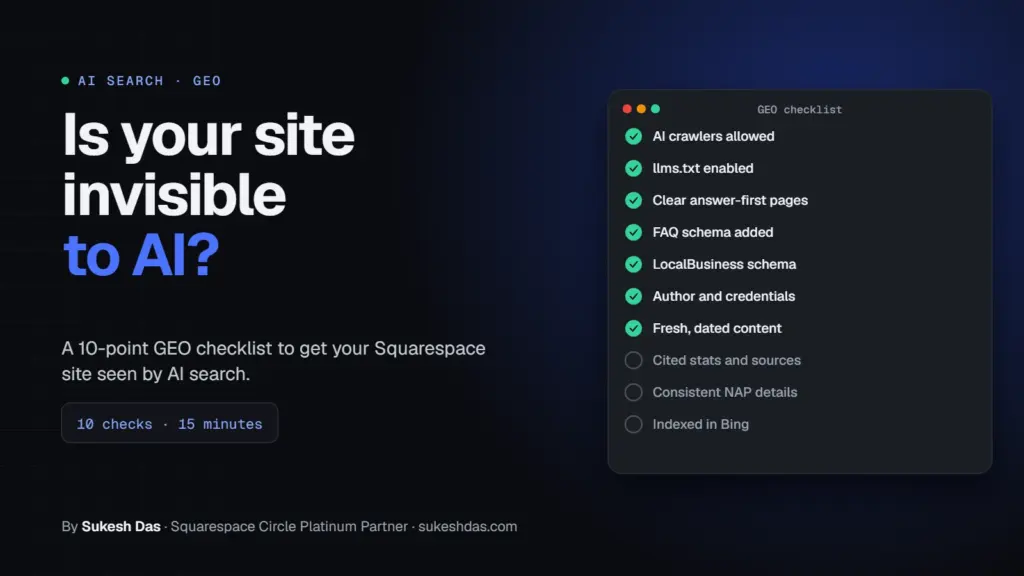
This Squarespace GEO checklist covers the 10 things that decide whether AI tools like ChatGPT, Perplexity and Google AI Overviews can find, trust and quote your site: AI crawlers allowed, llms.txt enabled, answer-first pages, FAQ schema, LocalBusiness schema, author credentials, fresh dated content, cited sources, consistent NAP details and Bing indexing. Most sites can complete all 10 in an afternoon, and each check below shows exactly where to look on Squarespace.
I’m Sukesh Das, a Squarespace Circle Platinum Partner. I build on Squarespace and WordPress, and I’ve built more than 1,200 websites since 2018 for clients in 70 countries, a lot of them coaches, therapists, advisors and healthcare professionals. To write this I also went through over 7,000 solved Squarespace Forum questions so the checks match the problems real site owners run into.
## Squarespace GEO checklist summary table
Print this Squarespace GEO checklist table or copy it into a doc and tick each row as you go. The detail for each check follows below.
| # | Check | Where on Squarespace | Pass if… | Time |
| --- | --- | --- | --- | --- |
| 1 | AI crawlers allowed | Settings → Crawlers | “Block known artificial intelligence crawlers” is unchecked | 2 min |
| 2 | llms.txt enabled | SEO/AI Visibility panel → SEO Settings → LLMS.txt | yourdomain.com/llms.txt loads with real content | 20 min |
| 3 | Clear answer-first pages | Page editor | Key pages answer the main question in the first 2 to 3 sentences | 1 to 3 hrs |
| 4 | FAQ schema added | Code Block or Code Injection | FAQPage passes the Rich Results Test | 30 min |
| 5 | LocalBusiness schema | Settings → Selling → Business Information, plus custom JSON-LD | Name, address, phone, hours and sameAs all valid | 30 min |
| 6 | Author and credentials | About page, blog author bios | Real name, photo, qualification and profile links | 30 min |
| 7 | Fresh dated content | Blog post dates, “Last updated” lines | Key pages updated in the last 6 to 12 months | Monthly |
| 8 | Cited stats and sources | Blog posts, service pages | Every number links to its source | Ongoing |
| 9 | Consistent NAP details | Footer, Contact page, Google Business Profile, directories | Name, address, phone match everywhere | 45 min |
| 10 | Indexed in Bing | Bing Webmaster Tools + Code Injection → Header | Site verified, sitemap submitted, pages indexed | 15 min |
## How should I use this Squarespace GEO checklist?
Work through the Squarespace GEO checklist in order the first time. The early checks remove hard blockers, and the later ones build trust. Skipping straight to schema while AI bots are blocked is like decorating a shop with the door locked.
Each check has the same four parts: why it matters, how to check it on Squarespace, how to fix it, and roughly how long it takes. Every menu path comes from Squarespace’s own help center, current as of October 2026. Squarespace does move things around, so if a menu looks different, search the setting name in the Squarespace panel.
You don’t need to be technical. Checks 4 and 5 involve pasting a small block of code, and I give you copy-paste examples. Everything else is settings and writing.
A tip from client work: run the Squarespace GEO checklist on your own site first, then on one competitor who already shows up in ChatGPT answers. The gaps between the two are usually very telling.
## What is GEO, and why does a Squarespace site need it?
GEO stands for generative engine optimization. It’s the work of making your site a source that AI answer engines pick when they write a reply.
Google’s own advice is that [no special optimizations are needed for AI Overviews](https://developers.google.com/search/docs/appearance/ai-features) beyond solid SEO. I agree, and that’s exactly why a Squarespace GEO checklist is useful: it turns “solid SEO” into ten specific checks you can actually verify on your own site.
For the background on how each AI tool picks sources, read my full guide to [Squarespace AI SEO](https://sukeshdas.com/squarespace-ai-seo/). This post is the hands-on audit.
## Check 1: Are AI crawlers allowed on your Squarespace site?
**Why it matters:** this is the first item on any Squarespace GEO checklist because AI tools can only cite pages their bots can read. OpenAI says [sites opted out of OAI-SearchBot will not be shown in ChatGPT search answers](https://developers.openai.com/api/docs/bots).
**How to check:** go to **Settings → Crawlers** . Look at the checkbox “Block known artificial intelligence crawlers”. It’s [unchecked by default](https://support.squarespace.com/hc/en-us/articles/360022347072-Request-that-AI-models-exclude-your-site), but I find it ticked on client sites more often than you’d think, usually after a scary news story.
**How to fix:** untick it and save, unless you have a strong reason to keep AI bots out. Also make sure there’s no site-wide password and no page password on your homepage.
**Time:** 2 minutes.
## Check 2: Is llms.txt enabled?
**Why it matters:** on this Squarespace GEO checklist, llms.txt is the newest item. The file gives AI tools a short, clean summary of who you are and which pages matter. It’s a new standard and nobody has confirmed it as a ranking factor, but it’s cheap to add.
**How to check:** visit `yourdomain.com/llms.txt`. If you get a 404, it’s not set up. In Squarespace, it lives under **SEO/AI Visibility panel → SEO Settings → LLMS.txt** , available on version 7.1 and off by default according to [Squarespace’s llms.txt guide](https://support.squarespace.com/hc/en-us/articles/47434125611277-Create-an-llms-txt-file).
**How to fix:** write a few lines of Markdown: your business name, a one-sentence summary, then links to your main services, About page, FAQ and pricing. Save, then reload the URL to confirm. There’s a full example in my [Squarespace AI SEO guide](https://sukeshdas.com/squarespace-ai-seo/).
**Time:** 20 minutes.
## Check 3: Are your pages clear and answer-first?
**Why it matters:** of all ten items in this Squarespace GEO checklist, this one usually has the biggest effect. AI tools pull short passages that answer a question on their own. If the answer is hidden under a big hero image and three paragraphs of story, they quote someone else.
**How to check:** open your homepage and your top three service pages on a phone. Read only the first screen of text. Can a stranger tell what you do, who it’s for, where, and roughly what it costs?
**How to fix:**
- Add a two or three sentence summary near the top of each key page.
- Turn vague headings (“Our Approach”) into questions people ask (“How does online couples therapy work?”).
- Use real H2 and H3 headings from the text editor, not big bold paragraphs.
- Keep key text as real text, not inside images or graphics.
- If mobile layout is hiding content, see my [Squarespace mobile fixes](https://sukeshdas.com/fix-squarespace-mobile-issues/).
**Time:** 1 to 3 hours for the main pages.
## Check 4: Have you added FAQ schema?
**Why it matters:** Squarespace [generates schema automatically](https://support.squarespace.com/hc/en-us/articles/206744067-How-does-Squarespace-optimize-my-site-for-search-results) for blog posts, events, local businesses, organizations, products and websites, but not FAQPage. FAQ schema states your questions and answers in a format machines read without guessing.
A fair caveat: Google shows FAQ rich results only for a limited set of sites now, so don’t expect the dropdowns in search. The value here is clarity for machines, not a visual feature.
**How to check:** run your FAQ page through Google’s [Rich Results Test](https://search.google.com/test/rich-results) or the [Schema Markup Validator](https://validator.schema.org/) and look for FAQPage.
**How to fix:** add a Code Block at the bottom of the FAQ page with JSON-LD that matches the visible questions word for word:
```
```
More schema types and placement options are in my [Squarespace schema markup guide](https://sukeshdas.com/squarespace-schema-markup/).
**Time:** 30 minutes.
## Check 5: Is your LocalBusiness schema complete?
**Why it matters:** when someone asks an AI tool for “a therapist near me” or “a business coach in Denver”, clear local facts help it match you to the place.
**How to check:** first fill in **Settings → Selling → Business Information** (phone, email, location, hours), as described in [Squarespace’s Business Information guide](https://support.squarespace.com/hc/en-us/articles/212872328-Business-Information-settings). Then test your homepage in the Schema Markup Validator and see what local business details appear.
**How to fix:** if the built-in markup is thin, add your own in **Code Injection → Header** (Core, Plus or Advanced plan). Use the most specific type you can, such as `ProfessionalService` or `MedicalBusiness`:
```
```
**Time:** 30 minutes.
## Check 6: Do you show author names and credentials?
**Why it matters:** for health, money, legal and coaching topics, AI tools and Google both lean on signs of real expertise. A faceless site is harder to trust.
**How to check:** open a blog post. Is there an author name, photo and a line about their qualification? Does your About page name a real person with specific credentials?
**How to fix:**
- Add an author bio block at the end of each post with name, qualification and years of experience.
- Rewrite the About page with specifics: license type, certifications, where you trained, who you help.
- Link to profiles that confirm you: LinkedIn, professional directories, licensing boards.
- Use the same name spelling everywhere.
**Time:** 30 minutes.
## Check 7: Is your content fresh and dated?
**Why it matters:** AI search tools and their users prefer current information, especially for prices, processes and anything that changes.
**How to check:** list your ten most important pages and posts. When did each last get a real update? Do blog posts show a visible date?
**How to fix:** add a “Last updated: Month Year” line to key pages, refresh outdated details, and keep blog dates visible in your blog layout settings. Only change the date when you actually change the content.
**Time:** about an hour a month.
## Check 8: Do you cite stats and sources?
**Why it matters:** a page with clear sources and original detail is a better thing to quote than a page of opinions. It also protects you from repeating wrong numbers.
**How to check:** search your key pages for numbers and claims. Does each one link to where it came from?
**How to fix:** link each statistic to its original source, and add what only you know: your real prices, your process, common client questions, results from your own simple surveys. Never invent numbers.
**Time:** ongoing, 10 minutes per post.
## Check 9: Are your NAP details consistent?
**Why it matters:** local businesses often fail this Squarespace GEO checklist item without knowing it. NAP means name, address and phone. If your footer says “Suite 4”, Google Business Profile says “#4” and an old directory has your previous number, machines have to guess which is right.
**How to check:** compare your Squarespace footer, Contact page, Business Information settings, schema, Google Business Profile and your top directory listings.
**How to fix:** pick one exact format and update every place to match. Squarespace’s own SEO checklist recommends a Contact page with your address and a Google Business Profile.
**Time:** 45 minutes.
## Check 10: Is your Squarespace site indexed in Bing?
**Why it matters:** Microsoft says [Bing powers AI tools like ChatGPT](https://blogs.bing.com/webmaster/2025/6/Start-Using-Bing-Webmaster-Tools-to-Improve-Your-Site-Visibility/) as well as Yahoo, DuckDuckGo and others. Many Squarespace sites are verified in Google but never in Bing.
**How to check:** search `site:yourdomain.com` on Bing. Few or no results means work to do.
**How to fix:** follow [Squarespace’s Bing verification guide](https://support.squarespace.com/hc/en-us/articles/205813858): add your site in Bing Webmaster Tools, paste the meta tag into **Code Injection → Header** (or add a CNAME record on the Personal plan), verify, then submit `yourdomain.com/sitemap.xml`. Use URL Submission for important new pages.
**Time:** 15 minutes.
## How do I score my Squarespace GEO checklist?
Once you’ve worked through the Squarespace GEO checklist, give yourself 1 point for each check you fully pass and 0.5 for a partial pass.
| Score | What it means | What to do next |
| --- | --- | --- |
| 9 to 10 | AI-ready. Your site is easy to crawl, understand and trust. | Keep content fresh and track AI referrals monthly. |
| 6 to 8.5 | Good base with gaps. | Fix the missing technical checks (1, 2, 10) first, then schema. |
| 3 to 5.5 | Mostly invisible to AI tools. | Start with checks 1, 10 and 3. They have the biggest impact for the time. |
| 0 to 2.5 | Starting from scratch. | Block out an afternoon and work down the table in order. |
If I only had one hour to run the Squarespace GEO checklist on a client site, I’d do checks 1, 10, 2 and 9, in that order. They’re quick and they remove the hard blockers.
## What this Squarespace GEO checklist can’t do
No checklist can guarantee you’ll be cited. AI answers change by user, wording, location and time, and the companies behind them don’t publish their full ranking logic.
What a Squarespace GEO checklist does is remove the reasons not to pick you. After that, the quality and specificity of your content does the heavy lifting.
One more practical point: if custom code you added a while ago has quietly stopped working, your schema may be gone too. My guide on [why Squarespace code stops working](https://sukeshdas.com/squarespace-code-stopped-working/) covers the common causes.
## Squarespace GEO checklist FAQs
### What is a Squarespace GEO checklist?
It’s a list of checks that show whether AI tools like ChatGPT, Perplexity and Google AI Overviews can find, understand and trust your Squarespace site, with steps to fix each gap.
### Where is the AI crawler setting in Squarespace?
Go to Settings, then Crawlers. The checkbox “Block known artificial intelligence crawlers” is unchecked by default, which means AI bots are allowed.
### Where do I add llms.txt in Squarespace?
Open the SEO/AI Visibility panel, go to SEO Settings and use the LLMS.txt tab. It’s available on version 7.1 sites and is off by default.
### Does Squarespace add FAQ schema automatically?
No. Squarespace adds schema for blog posts, events, local businesses, organizations, products and websites, but FAQPage schema has to be added with a Code Block or Code Injection.
### Do I need a paid plan for these checks?
Most checks work on any plan. Adding site-wide schema or the Bing meta tag through Code Injection needs a Core, Plus or Advanced plan, though Bing can also be verified with a CNAME record.
### What does NAP mean?
NAP stands for name, address and phone number. Keeping them identical across your site, schema, Google Business Profile and directories helps search engines and AI tools trust your details.
### Why does Bing matter for AI search?
Microsoft says Bing powers AI tools including ChatGPT. Verifying your site and submitting your sitemap in Bing Webmaster Tools makes sure that route is open.
### How often should I run this checklist?
Run the full checklist once, then review it every quarter. Check content freshness monthly and rerun the technical checks after any redesign or template change.
### Will passing every check get me cited by ChatGPT?
Not guaranteed. Passing every check makes your site a strong, easy source, but AI tools decide what to cite and no one controls that.
## Want me to run this checklist for you?
If you’d rather hand this off, I can audit your site against all ten checks, fix what’s missing and send you a short report. I do this every week as a [Squarespace web designer](https://sukeshdas.com/services/squarespace-web-designer/). [Send me a short brief](https://sukeshdas.com/contact-us/?service=squarespace#brief) and I will reply within one working day.
Related guides: [Squarespace AI SEO](https://sukeshdas.com/squarespace-ai-seo/), [Squarespace schema markup](https://sukeshdas.com/squarespace-schema-markup/), [Squarespace vs WordPress for therapists and coaches](https://sukeshdas.com/squarespace-vs-wordpress-therapists-coaches/) and [how to add a WhatsApp button to Squarespace](https://sukeshdas.com/free-floating-whatsapp-button/).
Related service
[Squarespace website development](https://sukeshdas.com/services/squarespace-web-designer/)
Squarespace 7.1 sites that do not look like a template. As a Squarespace Circle Platinum Partner, custom code, member areas and commerce are routine work for me.
[See the service](https://sukeshdas.com/services/squarespace-web-designer/) [Case study: Avi Dear Visuals](https://sukeshdas.com/project/avi-dear-visuals/)
Share this article
- [AI search](https://sukeshdas.com/tag/ai-search/)
- [Generative engine optimization](https://sukeshdas.com/tag/generative-engine-optimization/)
- [llms.txt](https://sukeshdas.com/tag/llms-txt/)
- [Local SEO](https://sukeshdas.com/tag/local-seo/)
- [Squarespace GEO checklist](https://sukeshdas.com/tag/squarespace-geo-checklist/)
- [Squarespace SEO](https://sukeshdas.com/tag/squarespace-seo/)

Written by Sukesh Das
Web designer and developer with 1,200+ sites built. If this article describes your problem, I can fix it for you.
[Ask me about your site](https://sukeshdas.com/contact-us/)
## Start the discussion [Cancel reply](/squarespace-geo-checklist/?format=md#respond)
On this page
12 min read
1. Squarespace GEO checklist summary table
2. How should I use this Squarespace GEO checklist?
3. What is GEO, and why does a Squarespace site need it?
4. Check 1: Are AI crawlers allowed on your Squarespace site?
5. Check 2: Is llms.txt enabled?
6. Check 3: Are your pages clear and answer-first?
7. Check 4: Have you added FAQ schema?
8. Check 5: Is your LocalBusiness schema complete?
9. Check 6: Do you show author names and credentials?
10. Check 7: Is your content fresh and dated?
11. Check 8: Do you cite stats and sources?
12. Check 9: Are your NAP details consistent?
13. Check 10: Is your Squarespace site indexed in Bing?
14. How do I score my Squarespace GEO checklist?
15. What this Squarespace GEO checklist can’t do
16. Squarespace GEO checklist FAQs
17. Want me to run this checklist for you?
Browse topics Squarespace
- [Squarespace7](https://sukeshdas.com/category/squarespace/)
- [Website & Conversion7](https://sukeshdas.com/category/website-conversion/)
- [Tutorial3](https://sukeshdas.com/category/tutorial/)
- [Divi2](https://sukeshdas.com/category/tips-tricks/divi/)
- [Lead Generation2](https://sukeshdas.com/category/lead-generation/)
- [SEO & Local SEO2](https://sukeshdas.com/category/seo-local-seo/)
- [AI Search1](https://sukeshdas.com/category/ai-search/)
- [Wordpress1](https://sukeshdas.com/category/wordpress/)
- [Elementor1](https://sukeshdas.com/category/tips-tricks/elementor/)
- [All articles](https://sukeshdas.com/blog/)
Want this handled for you?
Send a short brief and get a fixed quote.
[Get a free quote](https://sukeshdas.com/contact-us/)
Keep reading
## More from the *blog.*
[All articles](https://sukeshdas.com/blog/)
SEO & Local SEO Oct 3, 2026
### [Squarespace Schema Markup: 5 Proven JSON-LD Templates (Free)](https://sukeshdas.com/squarespace-schema-markup/)
Learn what Squarespace schema markup the platform adds on its own and how to add the…
13 min read
Lead Generation Oct 3, 2026
### [Floating WhatsApp Button: Free Chat Widget Code for Any Website (6 Platforms)](https://sukeshdas.com/free-floating-whatsapp-button/)
Add a free floating WhatsApp button to any website with one copy-paste code: settings for number,…
15 min read
AI Search Oct 3, 2026
### [Squarespace AI SEO: 10 Proven Ways to Get Cited by ChatGPT, Perplexity and Google AI Overviews](https://sukeshdas.com/squarespace-ai-seo/)
Squarespace AI SEO explained by a Squarespace Circle Platinum Partner: how ChatGPT, Perplexity and Google AI…
13 min read