A secondary school in Germany runs its website on WordPress. It’s where parents, students and staff find school news, events and announcements. At the school’s request, the name and address are kept private here.
The problem
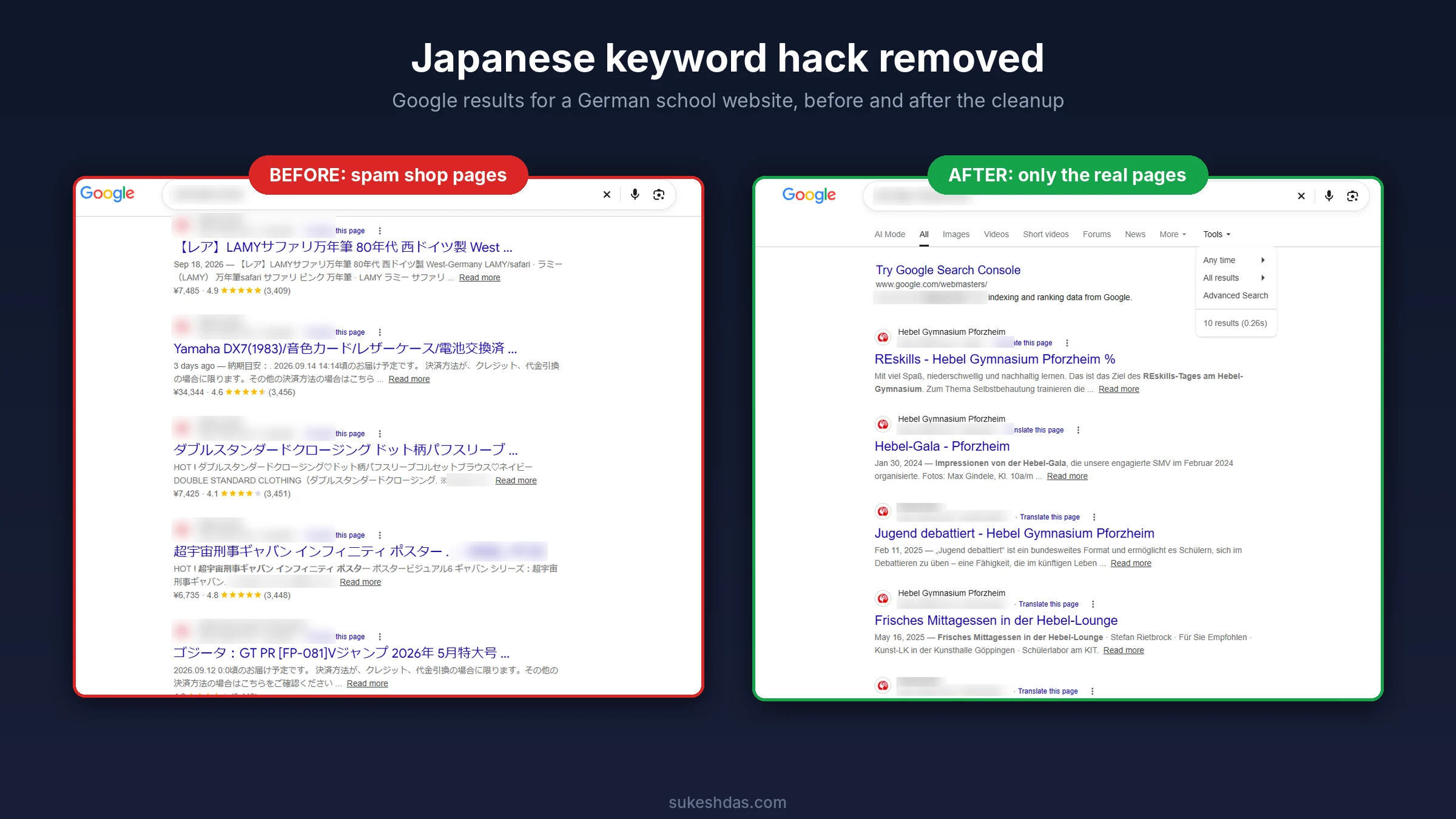
The site had been hit by what’s known as the Japanese keyword hack. By the time I was called in, Google had indexed 76,700 spam pages under the school’s domain, selling everything from fountain pens to vintage synthesizers and anime posters, all in Japanese, with fake prices and star ratings. A search for the school’s own site showed a fake Japanese shop instead of school news.
It got worse. The attacker had also verified themselves as an owner in Google Search Console. That let them submit their own sitemaps and push the spam into Google faster, while the school had no clear view of what was happening on its own property.
What I did, step by step
1. Backup and assessment
- Took a full backup of files and database before touching anything, so nothing could be lost.
- Mapped the damage in Google with site searches, collecting the spam URL patterns the hack was using.
- Checked how the spam was served: the pages only appeared to Google, while regular visitors saw the normal site, which is why the school hadn’t noticed.
2. File cleanup
- Replaced WordPress core with a fresh copy from wordpress.org.
- Compared every plugin and the theme against clean originals and reinstalled anything modified.
- Scanned the uploads folder for PHP files hiding among images, a favourite place for backdoors.
- Checked .htaccess, wp-config.php, index.php and the server root for injected redirect and cloaking code.
- Removed the backdoor scripts that kept regenerating the spam pages after each deletion.
3. Database cleanup
- Searched posts, options and metadata for injected scripts, hidden links and Japanese spam text.
- Removed stray spam text that was showing on the homepage.
- Deleted unknown administrator accounts created by the attacker.
4. Search Console recovery
- Verified the school’s own ownership of the property.
- Removed the attacker as an owner and deleted their verification tokens, including any HTML verification files left on the server, so they couldn’t verify again.
- Deleted the sitemaps the attacker had submitted and resubmitted the site’s real sitemap.
5. Getting the spam out of Google
- Made sure every spam URL returns a proper “not found” response instead of a page.
- Submitted a temporary sitemap listing the spam URLs, so Google recrawls them quickly, sees they are gone and drops them, instead of taking weeks to find each one.
- Monitored the results in Search Console until the spam stopped appearing.
6. Hardening
- Reset all WordPress, hosting, FTP and database passwords, and generated new security keys to log everyone out.
- Updated WordPress, the theme and all plugins, and removed unused ones.
- Disabled file editing in the dashboard and blocked PHP from running in the uploads folder.
- Set up a security plugin with a firewall and regular scans, so any new problem gets caught early.
Before and after
Before the cleanup, a Google search for the site returned page after page of Japanese product listings with fake ratings. After, all 76,700 spam pages are gone and only the school’s real pages show up.
Where it stands
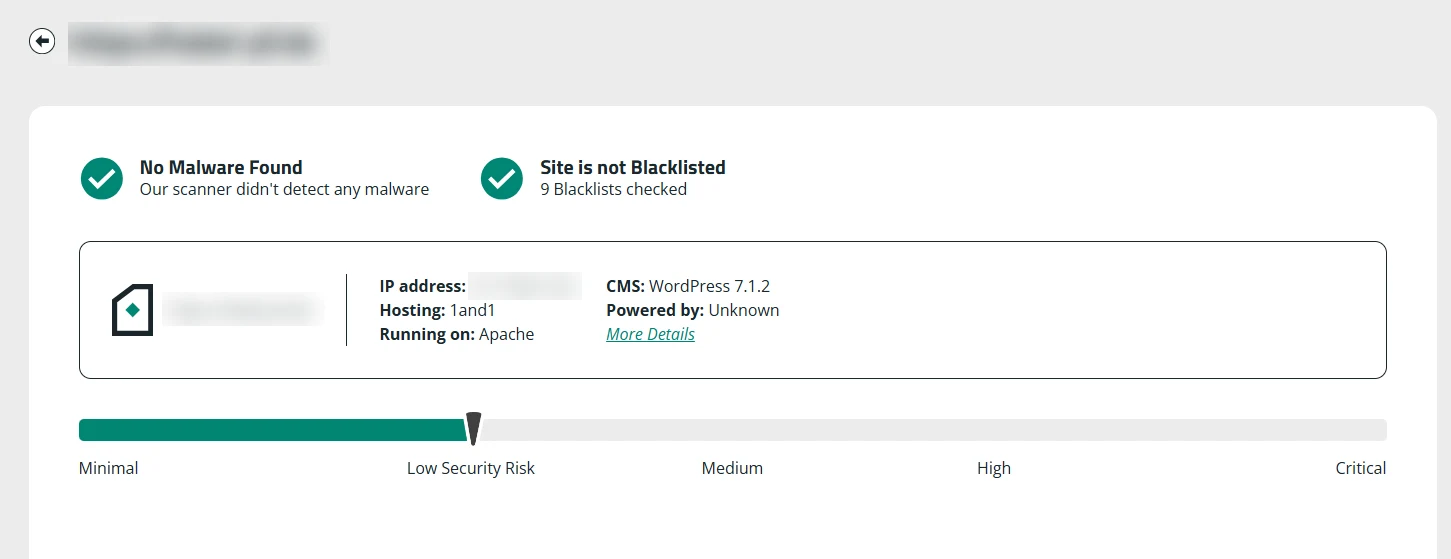
The site is clean, the school owns its Search Console again, and Google shows school news and events instead of a fake Japanese store. A final external scan confirms it: no malware found, not listed on any of the 9 blacklists checked, and a low security risk rating.
Seeing strange Japanese results under your domain? Let’s get your site cleaned up.