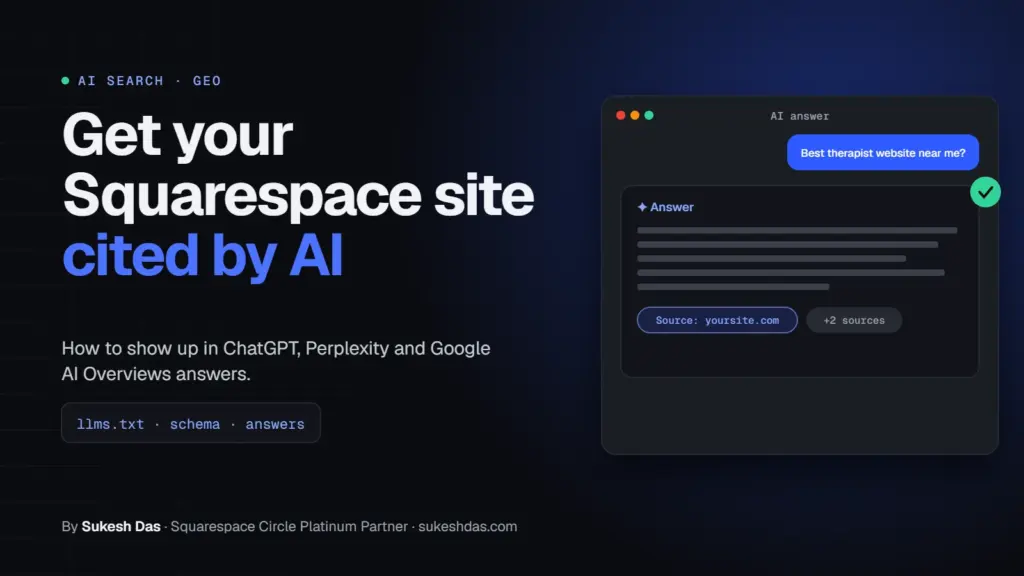
Squarespace AI SEO means making your site easy for ChatGPT, Perplexity and Google AI Overviews to crawl, understand and quote. On Squarespace that comes down to five things: keep AI search crawlers allowed, add an llms.txt file, write answer-first pages with question headings, add the schema Squarespace does not create for you (FAQ and detailed LocalBusiness), and get indexed in both Google and Bing. Nobody can guarantee a citation, but these steps make you a much easier source to pick.
I’m Sukesh Das, a Squarespace Circle Platinum Partner. I build websites on both Squarespace and WordPress, and I have built more than 1,200 sites since 2018 for clients in 70 countries, many of them coaches, therapists, advisors and healthcare professionals. While researching my Squarespace guides I reviewed over 7,000 solved Squarespace Forum questions, and “how do I show up in ChatGPT?” is now a question my own clients ask me almost every week.
Squarespace AI SEO at a glance
Here is the short version of this Squarespace AI SEO guide. Each row links to a section further down.
| What to do | Why it matters for AI answers | Where on Squarespace | Time |
|---|---|---|---|
| Keep AI search crawlers allowed | Blocked bots can’t read or cite your pages | Settings → Crawlers | 2 min |
| Add an llms.txt file | Gives AI tools a clean summary of your site | SEO/AI Visibility panel → SEO Settings → LLMS.txt | 20 min |
| Write answer-first pages | AI tools lift short, direct answers | Page editor | Ongoing |
| Use question headings | Matches how people prompt AI tools | Page editor | Ongoing |
| Add FAQ and LocalBusiness schema | Clear facts machines can parse | Code Injection or Code Block | 30 min |
| Show author and credentials | Signals who stands behind the advice | About page, blog author bio | 30 min |
| Cite sources and share original data | Makes your page worth quoting | Blog posts, service pages | Ongoing |
| Date and refresh content | AI search favors current pages | Blog post date, page copy | Monthly |
| Verify Google and Bing | Google feeds AI Overviews, Bing data powers ChatGPT search | Analytics, Code Injection | 15 min |
| Track AI referrals | Shows whether any of this works | Squarespace Analytics, GA4 | 15 min |
What is Squarespace AI SEO, and how is it different from normal SEO?
Normal SEO is about ranking a link on a results page. Squarespace AI SEO (you will also see it called GEO, generative engine optimization, or AEO, answer engine optimization) is about being the source an AI tool reads, trusts and mentions when it writes an answer.
The good news: the foundations are the same. Google says plainly that there are no additional requirements to appear in AI Overviews or AI Mode and no special structured data you need to add. A page has to be indexed and eligible to show with a snippet. That’s it.
So Squarespace AI SEO is not a trick layered on top. It is good SEO, written in a way that is easy to quote, on a site that machines are allowed to read.
How do ChatGPT, Perplexity and Google AI Overviews pick their sources?
None of these companies publish a full ranking formula, so be careful with anyone who claims to know it. What they do publish is how their crawlers work, and that tells us a lot.
- ChatGPT search uses a crawler called OAI-SearchBot. OpenAI states that sites opted out of OAI-SearchBot will not be shown in ChatGPT search answers. GPTBot is a separate bot used for model training.
- Perplexity uses PerplexityBot to surface and link websites in search results, and it respects robots.txt. Perplexity-User fetches pages when a person asks a question.
- Google AI Overviews draw from Google’s normal search index. If your page is indexed and can show a snippet, it is eligible.
- Bing matters more than most people think. Microsoft says Bing powers AI tools like ChatGPT among other search experiences.
Across all of them, the pages that get cited tend to share the same traits: they are crawlable, they answer the question in the first few lines, they are specific, and they look trustworthy.
What does Squarespace offer natively for AI search?
These are the building blocks of Squarespace AI SEO. I only list features here that Squarespace documents on its own support pages. Plenty of blog posts claim more than that.
1. llms.txt support
Squarespace 7.1 lets you publish an llms.txt file. Per Squarespace’s llms.txt guide, it’s a plain Markdown file that helps AI assistants reflect your content accurately. You add it in the SEO/AI Visibility panel → SEO Settings → LLMS.txt tab. It’s off by default and Squarespace does not write it for you.
2. A setting to allow or block AI crawlers
Under Settings → Crawlers there’s a checkbox called “Block known artificial intelligence crawlers”. It’s unchecked by default. Squarespace’s crawler article lists the bots it covers, including GPTBot, ClaudeBot and Google-Extended, and notes that blocking is a request, not a guarantee.
3. The SEO panel and SEO report
Version 7.1 sites using Fluid Engine get an SEO report that flags missing alt text and missing page SEO descriptions, with an “Improve with AI” button to draft them.
4. Automatic structured data
Squarespace says it automatically generates schema markup for blog posts, events, local businesses, organizations, products and websites. It is not editable. It also builds your sitemap, adds SSL and keeps clean URLs.
What it doesn’t do: it doesn’t add FAQPage schema, and the local business markup only covers what you enter in your business information. That gap is where custom JSON-LD helps.
Should I block AI crawlers on Squarespace?
If Squarespace AI SEO is the goal, generally no. You can’t be quoted by a tool that’s been told not to read you.
The honest nuance: the Squarespace checkbox mixes training bots and other bots in one list, and you can’t pick bots individually. Blocking Google-Extended, for example, does not affect your inclusion in Google Search, according to Google. But blocking GPTBot and friends sends a clear “stay away” signal.
My rule for clients: if you sell a service and want enquiries, leave the box unchecked. If you’re a photographer or artist mainly worried about training on your work, the trade-off may be worth it. Check the current bot list on Squarespace’s page before deciding, because it changes.
How do I write Squarespace pages that AI tools want to quote?
This is the part of Squarespace AI SEO that moves the needle most, and it costs nothing.
Start with the answer
Answer-first writing is the heart of Squarespace AI SEO. Put a two or three sentence answer at the top of every key page and post. AI tools pull short, self-contained passages. If your answer is buried after four paragraphs of backstory, someone else’s page gets quoted.
Use headings phrased as real questions
People type full questions into ChatGPT: “How much does couples therapy cost in Austin?” A heading that matches that question, followed by a direct answer, is easy to extract. Use H2 and H3 headings in the Squarespace text editor, not bold text.
Be specific
“Sessions are 50 minutes and cost $180, with a sliding scale for students” is quotable. “We offer flexible, affordable options” is not. Numbers, names, places and dates give AI tools something concrete to cite.
One topic per page
A service page that tries to cover everything gets summarized vaguely. Give each service, location or big question its own page.
How do I add FAQ and LocalBusiness schema for Squarespace AI SEO?
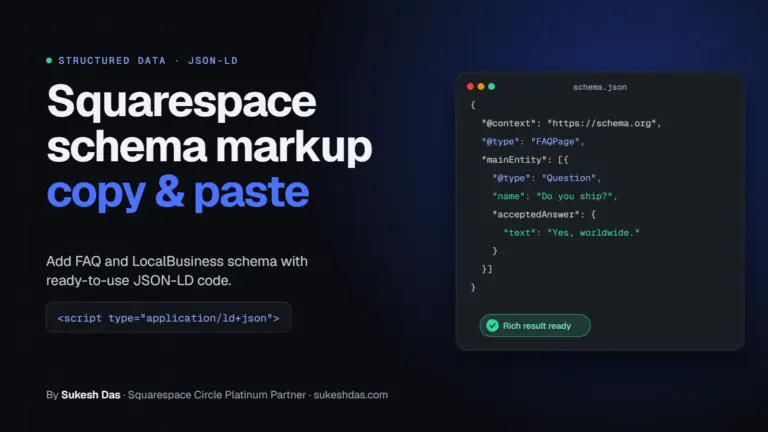
Structured data won’t force a citation (Google itself says no special schema is needed for AI Overviews). What it does is state your facts in a format machines read without guessing: your business name, address, hours, services and common questions.
I cover this step by step in my Squarespace schema markup guide. Here’s a starter you can adapt. Paste it into a Code Block on the page it describes, or into Code Injection → Header for site-wide business details (Code Injection needs a Core, Plus or Advanced plan).
<!-- Squarespace AI SEO schema by Sukesh Das, sukeshdas.com -->
<script type="application/ld+json">
{
  "@context": "https://schema.org",
  "@graph": [
    {
      "@type": "LocalBusiness",
      "@id": "https://www.example.com/#business",
      "name": "Example Counseling Studio",
      "url": "https://www.example.com/",
      "image": "https://www.example.com/logo.png",
      "telephone": "+1-555-555-0123",
      "address": {
        "@type": "PostalAddress",
        "streetAddress": "123 Main Street, Suite 4",
        "addressLocality": "Austin",
        "addressRegion": "TX",
        "postalCode": "78701",
        "addressCountry": "US"
      },
      "areaServed": "Austin, TX",
      "sameAs": [
        "https://www.linkedin.com/in/example",
        "https://www.psychologytoday.com/us/therapists/example"
      ]
    },
    {
      "@type": "FAQPage",
      "mainEntity": [
        {
          "@type": "Question",
          "name": "Do you offer online sessions?",
          "acceptedAnswer": {
            "@type": "Answer",
            "text": "Yes. Online sessions are available for clients anywhere in Texas."
          }
        }
      ]
    }
  ]
}
</script>
Three rules: every fact in the schema must also appear on the visible page, keep the address identical everywhere, and test it in Google’s Rich Results Test and the Schema Markup Validator. JSON-LD can’t hold comments, which is why the credit line sits above the script tag.
How do author and credential signals help AI citations?
AI tools are cautious with health, money and legal topics, so trust signals are a big part of Squarespace AI SEO for therapists, coaches and advisors. They lean toward sources that show who wrote the content and why that person is qualified.
- Add a real author bio to blog posts: name, photo, license or certification, years of practice.
- Make your About page specific. “Licensed Marriage and Family Therapist in California since 2014” beats “passionate about helping people”.
- Link to profiles that confirm you exist: LinkedIn, a professional directory, a licensing board listing. Add those URLs to the
sameAsfield in your schema. - Keep your name and business name spelled the same way everywhere.
Why do citations, original data and freshness matter?
Think about Squarespace AI SEO from the AI tool’s side. If ten pages say the same generic thing, there’s no reason to pick yours. Pages that add something get quoted.
- Cite your sources. Link to the official page behind any fact, the way I link Squarespace and Google docs in this post.
- Share what only you know. Your prices, your process, the questions clients actually ask you, a simple survey of your own customers. Original detail is the strongest reason to cite a page.
- Show a date. Add “Last updated” to key pages and keep blog post dates visible.
- Refresh real content. Update prices, screenshots and steps when they change. Changing the date without changing anything is easy to spot and doesn’t help.
Does Bing matter for Squarespace AI SEO and ChatGPT?
Yes. Microsoft’s own webmaster blog says Bing powers AI tools like ChatGPT, and it recommends IndexNow to alert Bing instantly when you add or update content. OpenAI runs its own OAI-SearchBot too, so Bing is not the only route in, but skipping Bing is an easy own goal.
To verify: Squarespace’s Bing guide says to add your domain in Bing Webmaster Tools, then paste Bing’s meta tag into Code Injection → Header (Core, Plus, Advanced, Business or Commerce plans) or add a CNAME record in your domain’s DNS on the Personal plan. For Squarespace AI SEO this is one of the fastest wins. Then submit your sitemap at yourdomain.com/sitemap.xml.
About IndexNow: I couldn’t find any Squarespace documentation saying it pings IndexNow automatically, so I don’t assume it does. You can submit important new URLs manually in Bing Webmaster Tools with the URL Submission tool after publishing.
How do I connect Google Search Console to Squarespace?
Per Squarespace’s guide, open the Analytics panel, click Search keywords, click Connect and sign in with Google. Keyword data can take up to 72 hours to appear.
Google reports AI Overviews and AI Mode traffic inside the normal Performance report under the Web search type. There is no separate AI filter, so for Squarespace AI SEO reporting, watch your overall impressions and clicks for the pages you’ve improved.
How do I measure AI referrals from ChatGPT and Perplexity?
When someone clicks a link in an AI answer, the visit often arrives with a referrer such as chatgpt.com, perplexity.ai, copilot.microsoft.com or gemini.google.com. Not every visit carries a referrer, so treat these numbers as a floor when you judge your Squarespace AI SEO results.
- Squarespace Analytics: open the Traffic report and look at the referrer list for those domains.
- GA4: go to Reports → Acquisition → Traffic acquisition, set the dimension to Session source, and filter with the regex below.
/* GA4 AI referral filter by Sukesh Das, sukeshdas.com */
chatgpt\.com|openai\.com|perplexity\.ai|copilot\.microsoft\.com|gemini\.google\.com|claude\.ai
Also ask new enquiries “How did you find us?” with an option for ChatGPT or another AI tool. In my experience that one form field tells you more than any dashboard.
What does a Squarespace AI SEO llms.txt file look like?
Squarespace leaves the content up to you and points to llmstxt.org for the format. Keep it short, factual and linked to your most important pages:
# llms.txt example by Sukesh Das, sukeshdas.com
# Example Counseling Studio

> Licensed therapy practice in Austin, Texas offering individual and couples counseling in person and online across Texas.

## Services
- [Couples counseling](https://www.example.com/couples-counseling): 50-minute sessions, in person or online
- [Anxiety therapy](https://www.example.com/anxiety-therapy): weekly sessions for adults

## About
- [About Dr. Jane Example](https://www.example.com/about): LMFT, practicing since 2014

## Key facts
- [Fees and insurance](https://www.example.com/fees)
- [FAQ](https://www.example.com/faq)
Is llms.txt a ranking factor? Nobody has confirmed that, and Squarespace itself calls it a developing standard. It takes 20 minutes, so I add it on every Squarespace AI SEO project, but I don’t treat it as a magic switch.
Can anyone guarantee AI citations?
No. Anyone who promises you’ll appear in ChatGPT or AI Overviews is selling something they can’t control. AI answers change by user, wording, location and day.
What you can control is whether your site is crawlable, clear, specific, trustworthy and current. That’s what Squarespace AI SEO really is. If you want a step-by-step audit, use my Squarespace GEO checklist.
Common Squarespace AI SEO mistakes to avoid
- Ticking “Block known artificial intelligence crawlers” and then wondering why ChatGPT never mentions you.
- Leaving the site, or the homepage, behind a password after launch.
- Putting key text inside images. AI tools read text, not pictures of text.
- Adding schema with facts that aren’t on the page, or with a different address from your Google Business Profile.
- Old custom code that silently broke. If your schema or scripts stopped working after a template change, see why Squarespace code stops working.
- Ignoring mobile. Google indexes the mobile version, so fix layout problems with my Squarespace mobile fixes.
Squarespace AI SEO FAQs
What is Squarespace AI SEO?
It’s the work of making a Squarespace site easy for AI tools like ChatGPT, Perplexity and Google AI Overviews to crawl, understand and cite. It builds on normal SEO with answer-first writing, clear schema, trust signals and Bing indexing.
Does Squarespace support llms.txt?
Yes, on version 7.1. Add it in the SEO/AI Visibility panel under SEO Settings, LLMS.txt tab. It’s off by default and you write the content yourself.
Does Squarespace block AI crawlers by default?
No. The “Block known artificial intelligence crawlers” checkbox under Settings, Crawlers is unchecked by default, so known AI bots are allowed unless you turn it on.
Do I need special schema to appear in Google AI Overviews?
No. Google says there’s no special structured data required. FAQ and LocalBusiness schema still help by stating your facts clearly, but they don’t guarantee inclusion.
Why does Bing matter for ChatGPT?
Microsoft says Bing powers AI tools including ChatGPT. Verifying your site in Bing Webmaster Tools and submitting your sitemap is a quick way to make sure that route is open.
How can I tell if ChatGPT sends me traffic?
Look for referrers like chatgpt.com and perplexity.ai in Squarespace Analytics or GA4. Some AI visits arrive without a referrer, so the real number is usually higher.
Does Squarespace add structured data automatically?
Yes. Squarespace says it generates non-editable schema for blog posts, events, local businesses, organizations, products and websites. FAQPage schema isn’t included.
How long does it take to show up in AI answers?
There’s no fixed timeline. Pages first need to be crawled and indexed, which can take days to weeks. After that it depends on competition and how well your page answers the question.
Can someone guarantee my site will be cited by ChatGPT?
No. AI answers vary by user, prompt and time. You can make your site a strong, crawlable, trustworthy source, but no one controls what an AI tool chooses to cite.
Want help with Squarespace AI SEO?
If you’d like me to check your crawler settings, write your llms.txt, add schema and set up Bing and AI referral tracking, I do this as part of my work as a Squarespace web designer. Send me a short brief and I will reply within one working day.
Related guides: Squarespace GEO checklist, Squarespace schema markup and Squarespace vs WordPress for therapists and coaches.