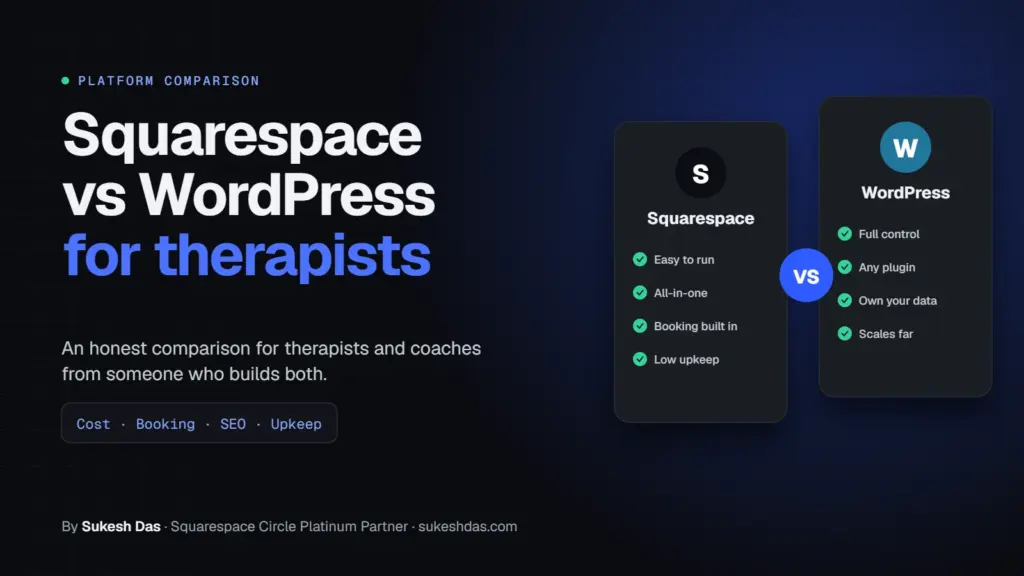
In the Squarespace vs WordPress for therapists debate, Squarespace is usually the better pick for a solo therapist or coach who wants a polished site they can update themselves with almost no maintenance. WordPress is the better pick if you plan to blog heavily, run courses or memberships at scale, or need a custom feature or integration. Neither one makes your website forms HIPAA compliant on its own, so client intake belongs in a dedicated HIPAA-ready tool either way.
I’m Sukesh Das. I build on both platforms: WordPress and WooCommerce, and Squarespace as a Squarespace Circle Platinum Partner. I’ve built more than 1,200 websites since 2018 for clients in 70 countries, and coaches, therapists, advisors and healthcare professionals are a big share of them. I’ve also reviewed over 7,000 solved Squarespace Forum questions, so I know where each platform frustrates people. I don’t earn more if you pick one over the other, which is why this comparison is as balanced as I can make it.
Squarespace vs WordPress for therapists: quick comparison
Here’s the Squarespace vs WordPress for therapists summary I give clients on a first call. The details for each row are below.
| Factor | Squarespace | WordPress |
|---|---|---|
| Ease of updates | Very easy, drag and drop | Easy once set up, more settings to learn |
| Maintenance | Handled by Squarespace | You or your developer: updates, backups, security |
| 3-year platform cost | About $684 to $1,764 (Core or Plus, billed annually) | Roughly $300 to $2,500+ depending on hosting, theme and plugins |
| Booking | Acuity Scheduling, built by Squarespace | Many booking plugins, or embed any scheduler |
| HIPAA intake forms | Form block is not HIPAA compliant | Not by default, depends on plugins and hosting |
| Blogging and SEO | Solid for most practices | Most flexible, best for content-heavy sites |
| Courses and memberships | Built-in, with fees on lower plans | Very flexible with plugins, more setup |
| Payment plans | Built-in Payment Plans since June 2026 | Possible with plugins |
| Design flexibility | Great templates, limits on custom layouts | Almost unlimited |
| Best for | Solo practices that want simple and low-maintenance | Growing practices, content and course businesses |
How much does Squarespace vs WordPress cost over 3 years?
Price is usually the first question in any Squarespace vs WordPress for therapists conversation, so let’s be concrete. These are platform costs only, not design fees.
Squarespace cost
From Squarespace’s pricing page in October 2026:
| Plan | Billed annually | Billed monthly | 3 years (annual billing) |
|---|---|---|---|
| Basic | $19/mo | $25/mo | $684 |
| Core | $29/mo | $39/mo | $1,044 |
| Plus | $49/mo | $65/mo | $1,764 |
| Advanced | $99/mo | $139/mo | $3,564 |
Most therapists and coaches I work with land on Core, because it includes Code Injection (needed for things like tracking codes, some schema and certain embeds) and 0% transaction fees on store sales. Membership sales carry a 7% fee on Basic, 5% on Core, 1% on Plus and 0% on Advanced, per the pricing page.
If you add Acuity Scheduling, Acuity’s pricing lists Starter at $16/mo, Standard at $27/mo and Premium at $49/mo when billed annually. Only Premium includes signing a BAA for HIPAA.
WordPress cost
WordPress itself is free, but you pay for everything around it. These are typical ranges I see on client projects, not fixed prices:
- Hosting: about $5 to $50 a month. Cheap shared hosting is often slow; managed WordPress hosting sits at the higher end.
- Domain: about $10 to $20 a year.
- Premium theme or page builder: $0 to around $250 a year.
- Plugins: booking, forms, SEO, backups and security can add $0 to a few hundred dollars a year.
- Maintenance: your own time, or a care plan from a developer.
That puts three years of WordPress anywhere from about $300 on a lean setup to $2,500 or more for premium hosting and plugins. The hidden cost is time. If an update breaks something at 9pm before a launch, someone has to fix it.
Which is easier to update for a busy therapist or coach?
On ease of use, Squarespace vs WordPress for therapists is not a close contest. Squarespace wins here for most people. You edit the page you’re looking at, drag blocks around, and hit save. There’s one login and nothing to update.
WordPress with the block editor or a page builder is not hard once it’s set up well, but there are more menus, more settings and more ways to accidentally break a layout. When I build on WordPress for a therapist, I lock down the parts they shouldn’t touch and keep editing to a few simple blocks.
My honest rule: if you want to change your fees or add a blog post in five minutes without calling anyone, Squarespace is the safer bet.
What about booking: Squarespace Scheduling vs WordPress plugins?
Booking is where Squarespace vs WordPress for therapists gets practical. Squarespace owns Acuity Scheduling, which handles appointment types, intake questions, reminders, packages and payments. It plugs into a Squarespace site very cleanly.
On WordPress you can use a booking plugin, or embed an external scheduler such as Acuity, Calendly or your practice management system. More choice, more setup.
For therapists specifically, many already use a practice management system with its own client portal and booking. In that case the platform debate matters less, because you’ll link or embed that system either way.
Are Squarespace or WordPress forms HIPAA compliant?
In Squarespace vs WordPress for therapists, this is the most important section for therapists and healthcare professionals in the US, so I’ll be direct.
Squarespace states in its Acuity and HIPAA article that Acuity is the only Squarespace feature currently designed to offer services consistent with HIPAA obligations, and that other parts of the platform, including the form block, can’t be used as part of a HIPAA compliant solution. Acuity’s HIPAA features need a higher plan and a signed Business Associate Addendum.
WordPress isn’t HIPAA compliant out of the box either. It can be part of a compliant setup, but that depends on your hosting, your form plugin, where submissions are stored and emailed, and whether every vendor will sign a BAA. That’s a lot to get right.
What I recommend to clients on both platforms:
- Keep the website for marketing: who you are, what you offer, fees, FAQs and a clear booking button.
- Put intake forms, clinical questions and client messaging inside a tool built for it, such as SimplePractice (which publishes its BAA and security information) or Jane. Check the vendor’s current BAA terms yourself.
- Make your website contact form ask only for name, email and a general message, with a note asking people not to share health details.
- Talk to a compliance professional about your specific situation.
This is general information from a web designer, not legal advice.
Which is better for blogging, SEO and AI search?
Both can rank well, so SEO alone rarely settles Squarespace vs WordPress for therapists. I’ve seen Squarespace sites outrank WordPress sites and the other way around. Content quality matters far more than the platform.
Squarespace handles the basics automatically: sitemap, SSL, clean URLs, mobile layouts and built-in schema for things like local businesses and blog posts. Version 7.1 also lets you publish an llms.txt file for AI tools, and it has a setting to block or allow AI crawlers.
WordPress gives you more control: SEO plugins, custom schema for every page type, fine control over URLs, categories and internal linking. If your plan is to publish a lot (say, weekly articles for clients and referral partners), WordPress scales better.
For AI search readiness, both platforms can do the job. The work is mostly writing answer-first pages and adding schema. My guides to Squarespace AI SEO, the Squarespace GEO checklist and Squarespace schema markup cover that side in detail.
Which is faster, more secure and easier to maintain?
Speed: people often assume speed decides Squarespace vs WordPress for therapists, but it depends on the build. A well-built WordPress site on good hosting can be very fast. A WordPress site on cheap hosting with 40 plugins can be painfully slow. Squarespace sits in the middle: consistently decent, with less room to tune. Big images and too many third-party embeds slow down either one.
Security: Squarespace handles hosting, security patches and SSL for you. With WordPress, security is your responsibility. Most hacked WordPress sites I’ve cleaned up had outdated plugins or weak passwords, not a flaw in WordPress itself.
Maintenance: Squarespace needs almost none. WordPress needs regular updates, backups and occasional fixes. If you don’t want to think about that, budget for a care plan or choose Squarespace.
What about courses, memberships and coaching packages?
Coaches weighing Squarespace vs WordPress for therapists and coaches often want a course, a paid community or a members-only resource area.
Squarespace has built-in memberships and courses that are quick to set up. The trade-off is the transaction fee on lower plans (7% on Basic and 5% on Core for memberships) and less flexibility in how lessons and access rules work.
WordPress can run full learning platforms with plugins, drip content, quizzes, certificates and complex access rules. It’s powerful, but it takes longer to build and needs more care.
For a simple course or resource library, Squarespace is usually enough. For a real course business with hundreds of students, WordPress or a dedicated course platform is a better fit.
Can I sell packages and payment plans?
Yes, on both, and this is one area where Squarespace vs WordPress for therapists and coaches recently shifted. Squarespace added Payment Plans in June 2026. You can take an upfront deposit (a fixed amount or a percentage) and collect the rest in one to six installments on a schedule you choose. The product needs to be priced at $100 or more, and the full balance must be paid before the service starts.
That’s a nice fit for coaching packages, retreats and workshops. On WordPress, you’d use WooCommerce with a deposits or subscriptions extension, or your booking plugin’s own payment features. Doable, with more pieces to manage.
Which gives more design flexibility?
When design flexibility is the deciding factor in Squarespace vs WordPress for therapists, WordPress wins clearly. With a custom theme you can build anything. I do this often for clients with a strong brand.
Squarespace templates look professional and calm out of the box, which suits therapy and coaching brands well. You can push them further with custom CSS, but there are layout limits. If a design idea keeps hitting those limits, that’s a sign WordPress may suit you better.
Whatever you pick, test it on phones. Many therapy clients find you on mobile late at night. If your Squarespace site looks off on a phone, my Squarespace mobile fixes will help.
Squarespace vs WordPress for therapists: who should pick which?
Find the row that sounds most like you. This table is the fastest way to settle Squarespace vs WordPress for therapists for your own practice.
| If you… | Pick | Why |
|---|---|---|
| Are a solo therapist who wants a simple, calm site you can update yourself | Squarespace | Low maintenance, easy editing, good templates |
| Already use SimplePractice, Jane or another practice system for booking and intake | Either (lean Squarespace) | The website is mostly marketing, so simplicity wins |
| Are a coach selling packages with deposits | Squarespace | Built-in Payment Plans and Acuity |
| Plan to publish a lot of articles and grow through search | WordPress | More SEO control and content structure |
| Run a group practice with many clinicians and locations | WordPress | Flexible structure, custom post types, team pages |
| Want a large course or membership business | WordPress | More powerful learning and access tools |
| Need a custom integration or unusual feature | WordPress | Plugins and custom code are far more flexible |
| Don’t want to think about updates or security at all | Squarespace | Hosting, updates and SSL are handled for you |
What do therapists and coaches get wrong when choosing?
After years of building practice websites, I see the same few mistakes again and again when people decide Squarespace vs WordPress for therapists.
- Choosing on price alone. A $5 hosting plan looks cheaper than Squarespace until you count the hours spent on updates and fixes.
- Collecting health details through a basic contact form. This is the one mistake that can cause real trouble. Keep clinical information in a HIPAA-ready tool.
- Picking WordPress for features they never use. Many solo practices never need more than five pages, a booking button and a blog.
- Picking Squarespace when they already know they’ll outgrow it. If a big course launch or a multi-location group practice is planned for next year, migrating later costs more than starting right.
- Forgetting who will run the site. The best platform is the one you or your team will actually keep up to date.
None of these are about which platform is better in general. They’re about matching the tool to the practice.
My recommendation framework
Instead of a one-size answer to Squarespace vs WordPress for therapists, I walk clients through four questions:
- Who will maintain it? If it’s you and you’re busy, lean Squarespace. If you have a developer or care plan, WordPress is fine.
- What’s the website’s main job? Bookings and trust: Squarespace does it well. Content and courses at scale: WordPress.
- Where will clinical data live? Ideally in a HIPAA-ready practice tool, not your website. Once that’s settled, the platform matters less.
- What will you need in two or three years? If you can clearly see a group practice, a big course or custom features coming, start on WordPress to avoid a migration later.
If your answers to Squarespace vs WordPress for therapists split down the middle, I usually suggest Squarespace for now. It’s quicker to launch, cheaper to run, and you can move later if you outgrow it.
Squarespace vs WordPress for therapists FAQs
Is Squarespace or WordPress better for therapists?
For most solo therapists, Squarespace is better because it’s easy to update and needs almost no maintenance. WordPress is better for group practices, heavy blogging, large courses or custom features.
Is Squarespace HIPAA compliant?
Not for website forms. Squarespace says Acuity Scheduling is its only feature designed for HIPAA obligations, on eligible plans with a signed BAA, and that the form block can’t be part of a HIPAA compliant solution.
Is WordPress HIPAA compliant?
Not by default. It can be part of a compliant setup with the right hosting, plugins and signed BAAs, but most therapists are better off keeping intake in a dedicated HIPAA-ready tool.
How much does a Squarespace website cost for a therapist?
Platform costs start at $19 a month on Basic billed annually, and most therapists use Core at $29 a month. Acuity Scheduling is extra, starting at $16 a month billed annually.
Can I take deposits for coaching packages on Squarespace?
Yes. Squarespace Payment Plans, launched in June 2026, let you collect a deposit and one to six installments on products priced at $100 or more.
Which platform is better for SEO?
Both can rank well. WordPress offers more control for content-heavy sites, while Squarespace covers the basics automatically. Good content matters more than the platform.
Can I move from Squarespace to WordPress later?
Yes. Pages, posts and images can be moved, though layouts usually need to be rebuilt and URLs redirected. It’s very doable with planning.
Do I need a developer for WordPress?
Not always, but most therapists benefit from one for setup and ongoing updates. Squarespace is easier to run fully on your own.
Should I use my practice management system’s website builder instead?
It can work for a basic site, but those builders are usually limited in design and SEO. Many therapists use Squarespace or WordPress for marketing and link to their practice system for booking and intake.
Need help choosing or building your practice website?
If you’re still unsure about Squarespace vs WordPress for therapists, I’m happy to look at your goals and tell you honestly which platform fits. I build therapist and coaching websites on both Squarespace and WordPress, and I’ll set up booking, payments and a clean path to your HIPAA-ready intake tool. Have a look at my work as a Squarespace web designer, or send me a short brief and I will reply within one working day.
Related guides: Squarespace AI SEO, Squarespace GEO checklist, why Squarespace code stops working and how to add a WhatsApp button to Squarespace.