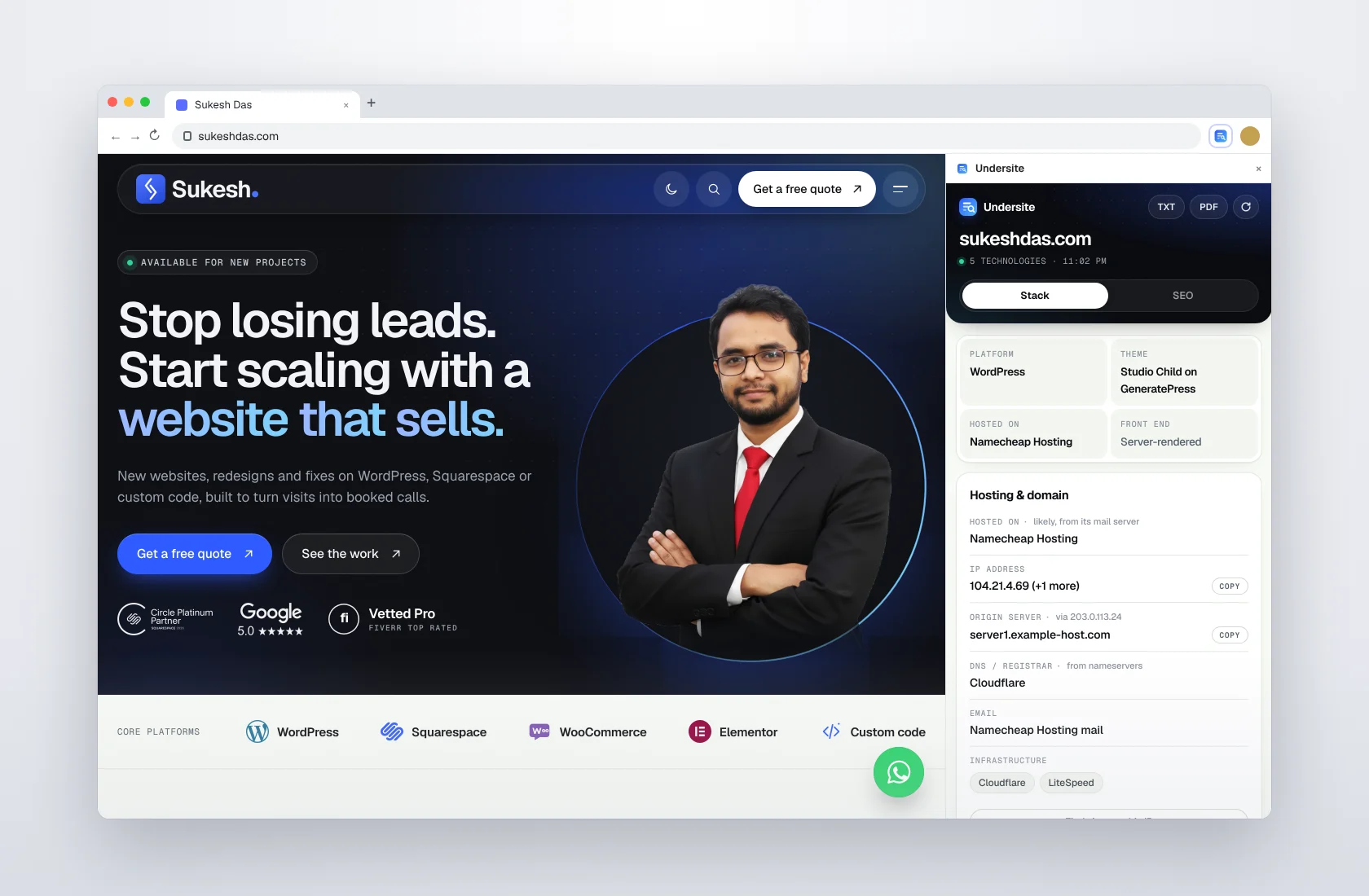
Undersite started as a tool for one person: me. Every day a client or a lead sends me a website and asks some version of the same question. What is this built with? Can you make mine like it? Why is it slow? Why is it not showing up on Google? To answer, I had a routine that took ten minutes and far too many tabs. So I built one extension that does all of it, used it on my own work for weeks, and then published it free on the Chrome Web Store for the community and my clients.
The ten-minute routine I wanted to kill
One extension told me the CMS. Another guessed the WordPress theme. A third listed tracking pixels. I opened a DNS lookup site to find the host, another site to check the email provider, a font inspector for the typography, and an SEO extension for the meta tags. Then I would open robots.txt and the sitemap by hand to count pages. Half of these tools tracked my browsing, a few guessed wrong with total confidence, and none of them could tell me who was really hosting a site hidden behind Cloudflare.
I wanted one click, one panel, and answers I could trust. That is Undersite.
What it replaced, one feature at a time
The tech stack, answered first
The first card gives the four answers I always needed before anything else: platform, theme or builder, host and front end. Underneath, Undersite recognises around 180 technologies in clear groups: 27 CMS and site platforms (WordPress, Shopify, Squarespace, Wix, Webflow, Framer, Ghost, Kajabi and more), 11 AI website builders (Lovable, Bolt.new, v0, Durable, 10Web, Base44 and others), 9 e-commerce platforms, 16 frameworks, 10 libraries, 10 chat and AI assistants, plus payments, security, CDN and web server. Every result shows a confidence bar.
Versions, not just names
A name tells me what a site runs on. A version tells me how old it is and how much work is waiting. Undersite reads versions for WordPress core, Squarespace (7.0 or 7.1, and whether it uses Fluid Engine), Drupal, Joomla, Ghost, Framer and Jimdo; for the WordPress theme and every plugin that loads on the page, including Elementor, Kadence Blocks, Fluent Forms, WooCommerce and Easy Digital Downloads; and for jQuery and Bootstrap. When a site hides its versions, it simply shows the name.
Page builders
Clients usually want to know “can I edit this myself?”. Undersite detects Elementor, Divi, Bricks, Beaver Builder, Oxygen, WPBakery, Kadence Blocks and the Block Editor, so I know the answer before the call.
WordPress plugins, and whether they are up to date
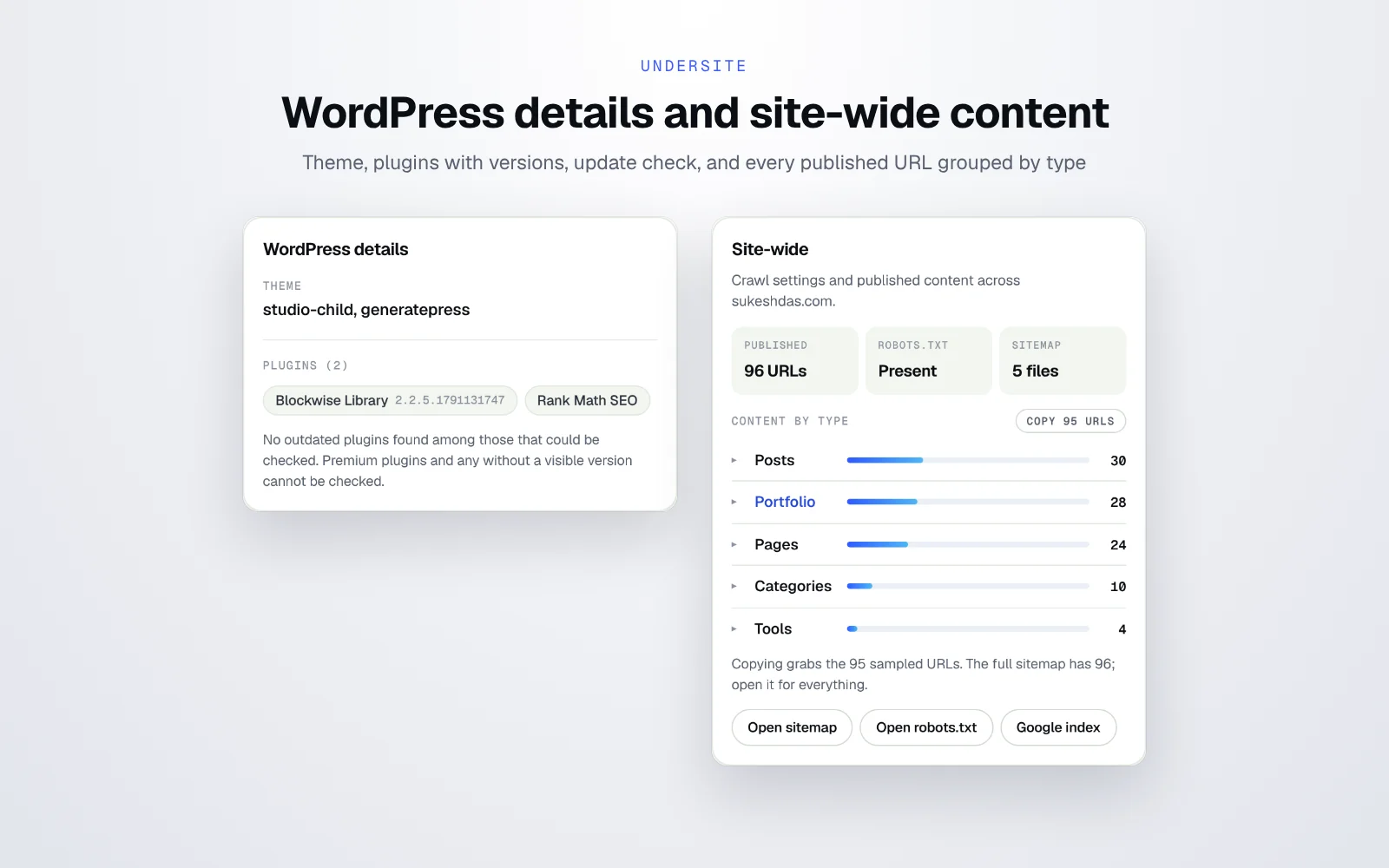
On WordPress sites it shows the core version, the theme and child theme, and the plugins loading on the page with their versions. One click on Check plugins for updates compares them with the official WordPress directory and flags anything outdated in red. It also spots SEO plugins like Yoast, Rank Math, All in One SEO and SEOPress. That one button has started more care plan conversations than any sales email I have written.
Every page on the site, one click to copy
The site-wide card reads robots.txt and every sitemap file, then tells me how many URLs are published and splits them by type: posts, pages, products, categories and any custom post type, like my own Portfolio and Tools. Each type has its own copy button, and one more copies everything. When a site has no sitemap or a broken one, Undersite finds pages through the navigation instead. Quick links open the sitemap, robots.txt and a Google index check in one click.
A redesign quote without the questionnaire
This is the moment that made the whole project worth it. To quote a redesign, I used to send clients a list of questions: how many pages, how many posts, any products, who hosts it, which email, which tracking must stay? Most did not know the answers. Now one click gives me the platform and version, builder, plugins, the exact number of pages, posts and custom post types, the host, the email provider and every tracking code. I send the quote the same day and attach the scan as a PDF.
Tracking codes, without five extensions
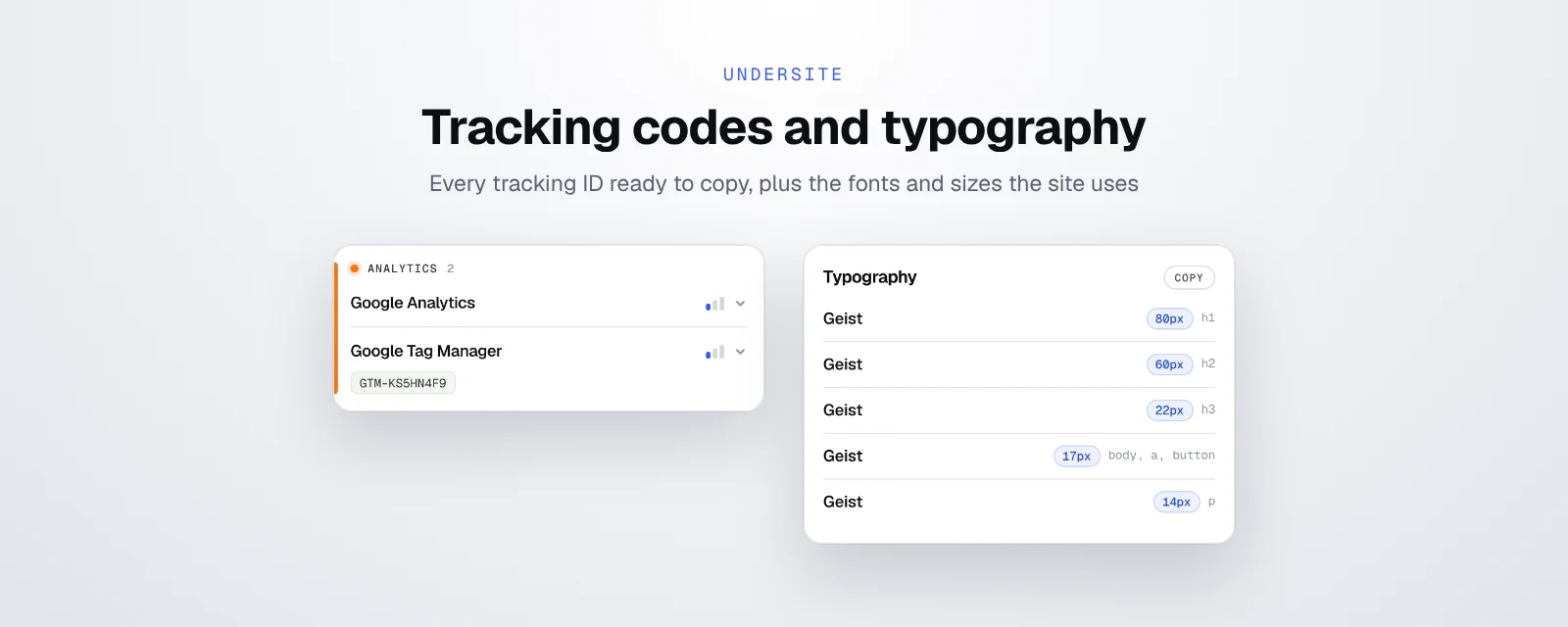
This was the part that used to need the most tools. Undersite covers 24 tracking and marketing platforms in one list: Google Analytics, Google Tag Manager, Meta Pixel, Microsoft Clarity, Hotjar, Mixpanel, Amplitude, PostHog, Segment, Matomo, Plausible, Fathom and Yandex Metrica, plus Google Ads, Microsoft Advertising, LinkedIn Insight Tag, TikTok, Pinterest, Snap and X pixels, HubSpot, Klaviyo, Mailchimp and GoHighLevel. Tracking IDs sit right under the name with a copy button.
Typography
When a client says “I love the look of this site”, the fonts are half of it. The typography card lists the font and size used for H1, H2, H3, body text and buttons, and copies the whole set in one go. No more font inspector.
Hosting, email and the real server behind Cloudflare
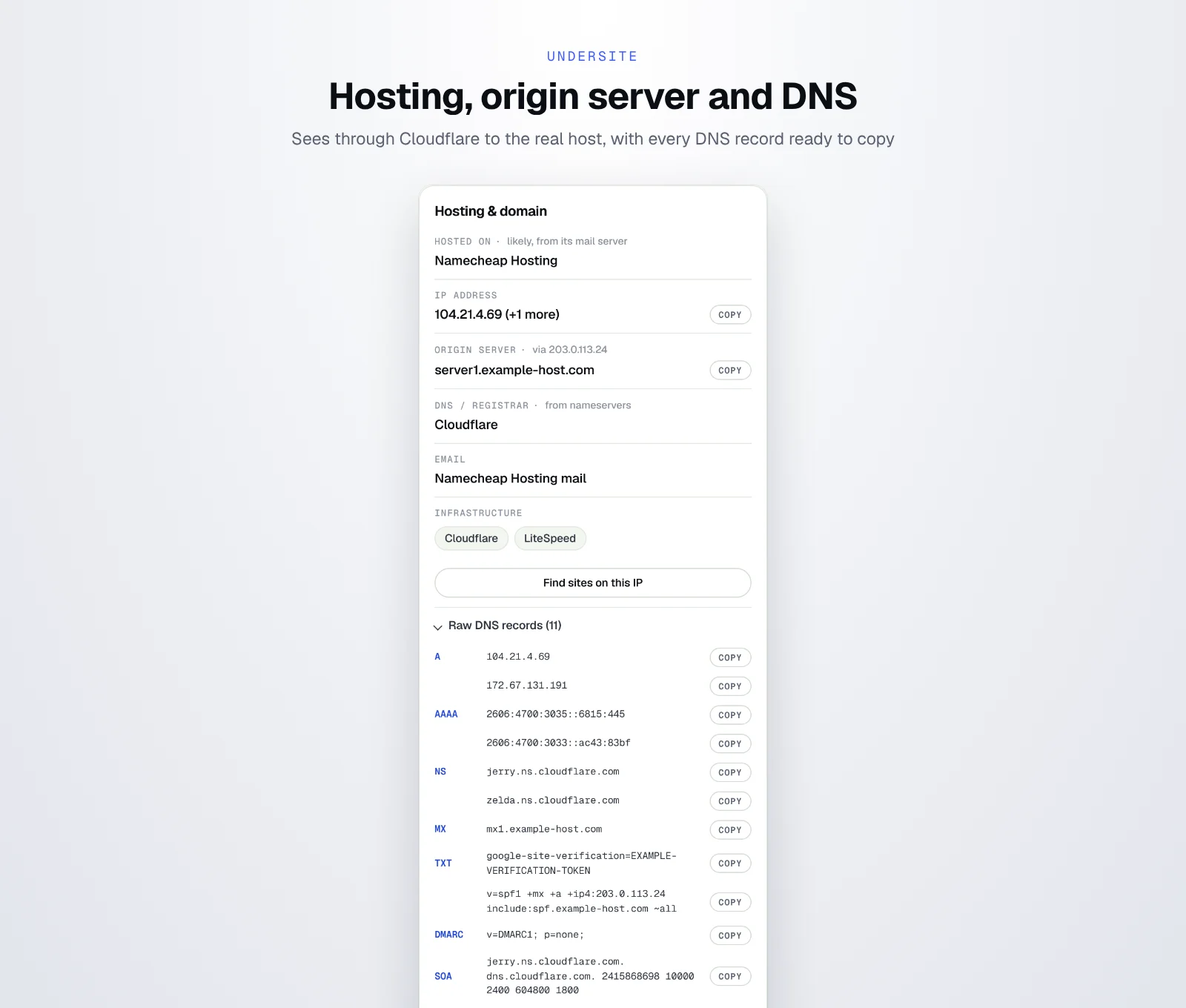
The hosting card shows the host and how it was found, the IP address, the origin server, the DNS provider and the email provider, with every raw DNS record ready to copy. It knows 40+ hosts and DNS providers and 12 email platforms: Google Workspace, Microsoft 365, Zoho Mail, Proton Mail, Fastmail, Titan, iCloud Mail, Yandex 360, Cloudflare Email Routing, Namecheap Private Email, Rackspace and Mailgun.
My favourite trick: most tools stop at “Cloudflare”. Undersite follows the site’s own mail server to the real host behind it, which is exactly what it does on my own site below. And Find sites on this IP lists the other domains sharing the same server, which tells you quickly whether a site is on shared hosting or its own machine.
An SEO check that explains itself
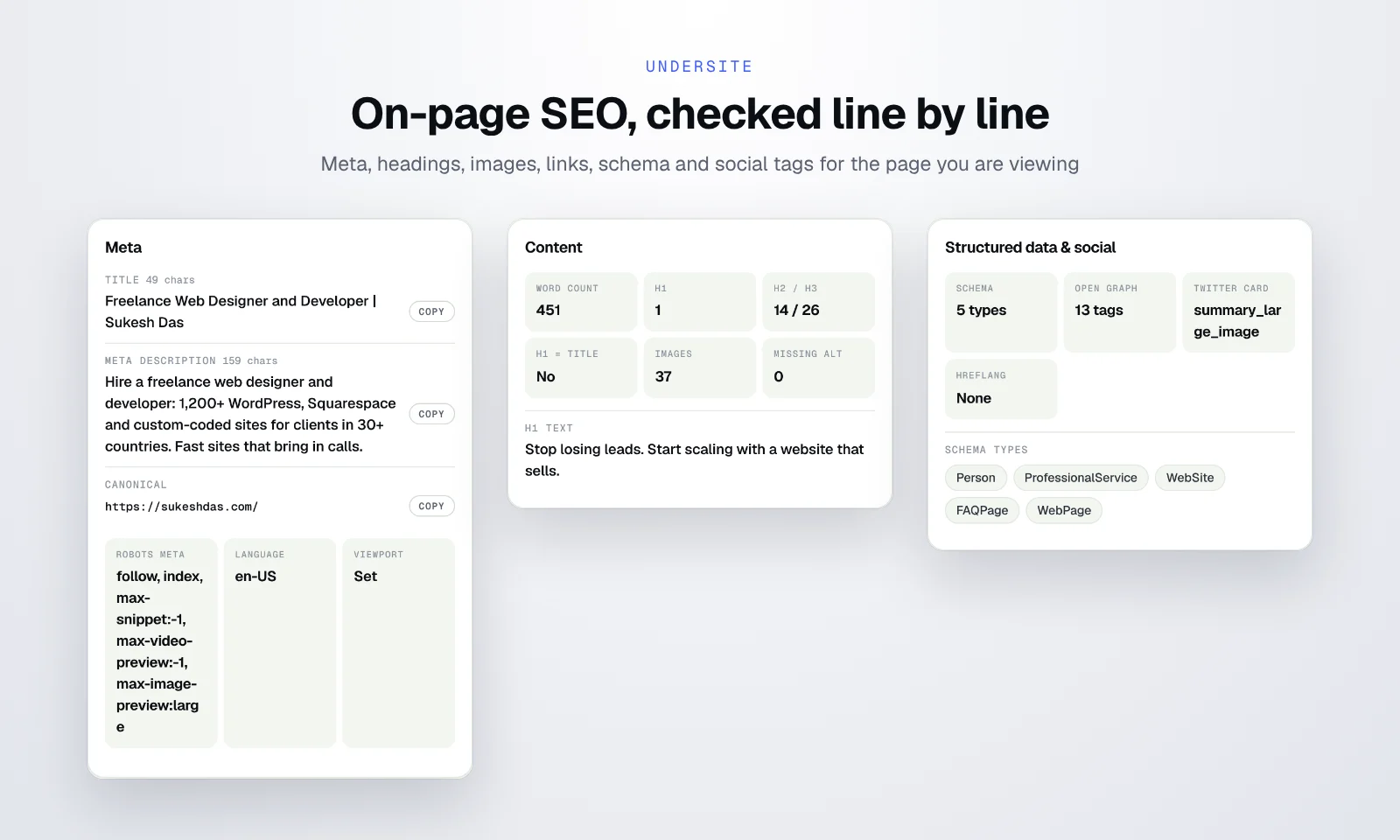
The SEO tab scores the page out of 100 and tells you why. It checks the title and meta description lengths, canonical, robots meta, language and viewport; word count, H1, heading structure and missing alt text; HTTPS, mixed content, charset, favicon and links; schema types, Open Graph, Twitter Card and hreflang. Each finding is written in plain words, so I can paste it straight into an audit.

AI search visibility
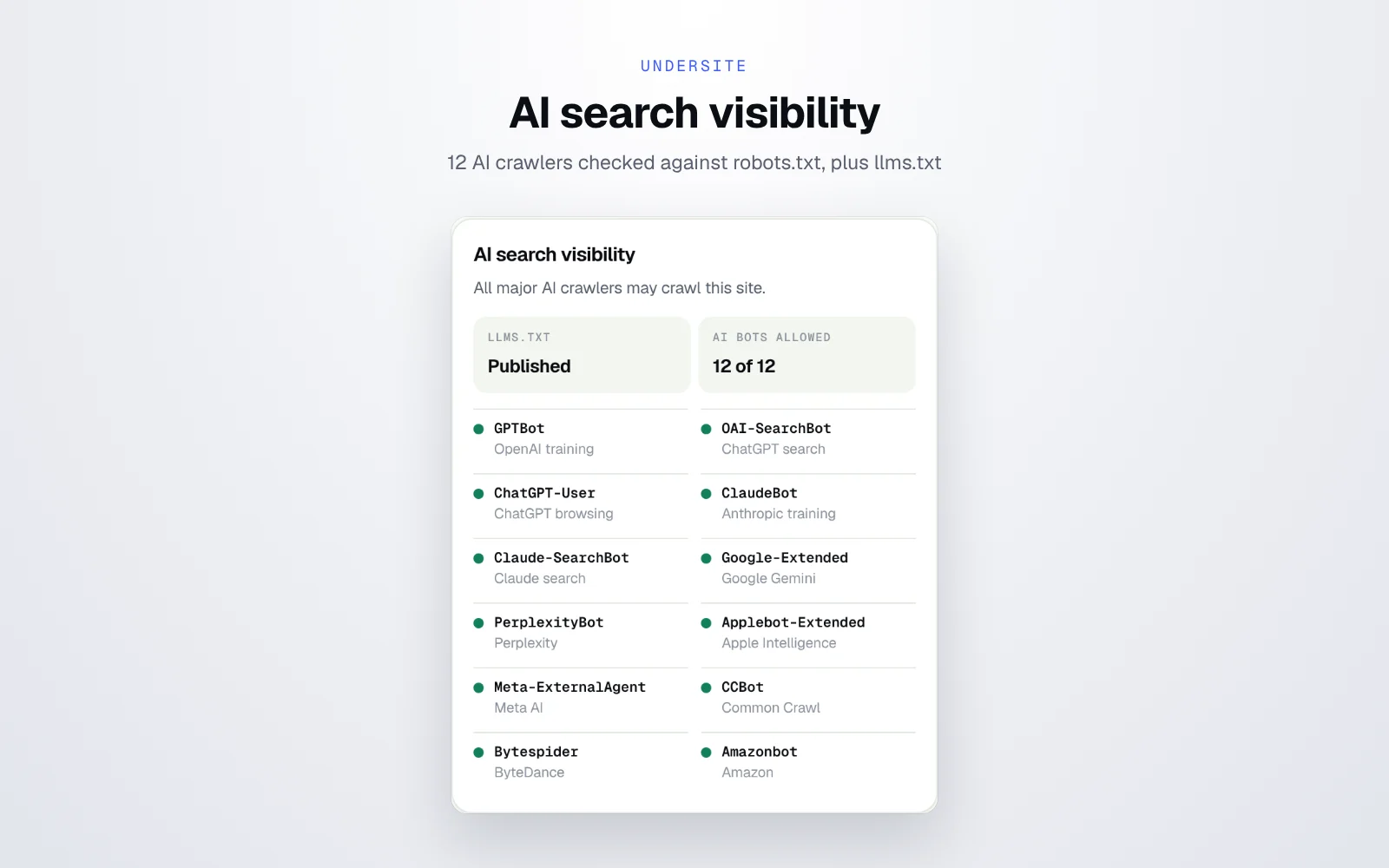
More and more clients ask why ChatGPT or Perplexity never mention them. Undersite checks robots.txt against 12 AI crawlers and labels each one: GPTBot, OAI-SearchBot, ChatGPT-User, ClaudeBot, Claude-SearchBot, Google-Extended, PerplexityBot, Applebot-Extended, Meta-ExternalAgent, CCBot, Bytespider and Amazonbot. It also shows whether the site publishes an llms.txt file. Sometimes the whole answer is one blocked bot.
Reports and little time savers
Any scan exports as a text file or a printable PDF report. Auto-scan can follow me from tab to tab during research, and the panel works in light and dark mode.
Rules I set for myself
Because I built it for my own daily work, I gave it the rules I wanted from other tools. Show the evidence and the confidence for every result. Say “unknown” instead of guessing. Never collect anything: no account, no analytics, no server, results kept only in session memory until Chrome closes. Ask for extra permissions only when a feature needs them. And leave out anything that helps attackers, like listing WordPress usernames.
From my toolbar to yours
After a few weeks the old routine was gone. A site lands in my inbox, I click once, and I have everything I need for the reply. It felt wrong to keep that to myself, so I polished it, wrote a clear privacy policy and published it free for other freelancers, agencies, marketers and my own clients.
Under the hood it is Manifest V3, TypeScript, Preact and esbuild, about 140 KB with no remote code. The detection engine is a separate package, so it can power future tools too.
Read the full guide: how to find out what a website is built with. Need a custom Chrome extension or browser tool for your own workflow? Let’s talk.