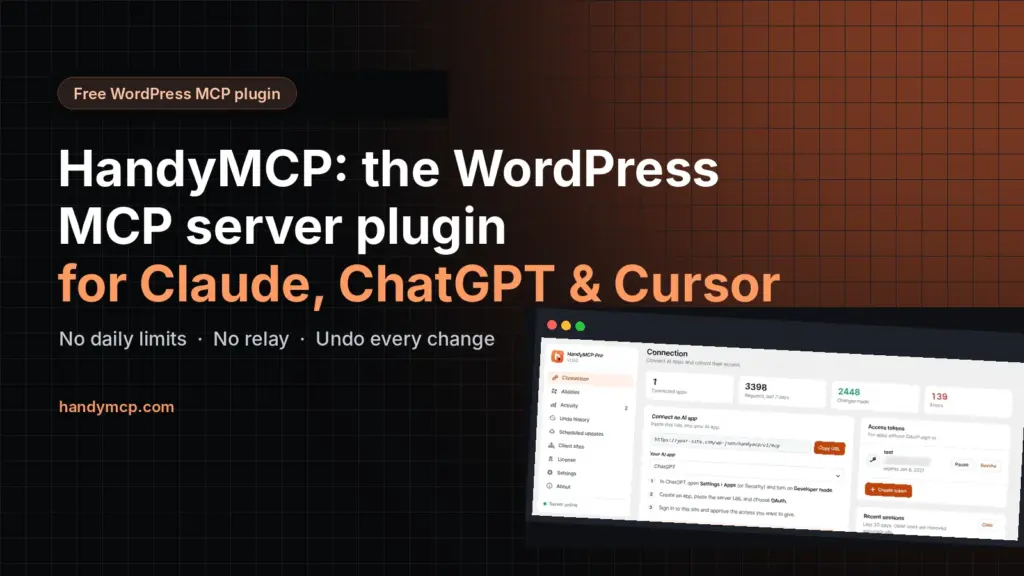
HandyMCP is the free WordPress MCP server plugin I built so Claude, ChatGPT, Cursor and Claude Code can work on a WordPress site safely. Install it, paste one URL into your AI app, and the AI can build Elementor pages, write SEO titles, edit WooCommerce products and update plugins, with every change saved first so you can undo it. It runs on your own site: no relay, no vendor account, no daily limits and no per-call fees.
Why I built my own WordPress MCP plugin
I’m Sukesh Das. I have built more than 1,200 websites since 2018, and most of my week goes on small jobs spread across many WordPress sites. Change a phone number. Fix spacing on mobile. Rewrite twenty product descriptions. Update plugins and pray nothing breaks.
When AI apps started supporting MCP (Model Context Protocol), I tried every WordPress MCP plugin I could find. Some sent my site through a relay server I did not control. Some had daily limits or credits. Most could not edit Elementor properly, and none let me undo what the AI changed. So I built one for my own client work, used it on real sites for weeks, and released the core for free as HandyMCP.
What is a WordPress MCP server?
MCP is an open standard that lets AI apps use tools. A WordPress MCP server is a plugin that turns your site into one of those tools. Once it is connected, you can say “build a draft landing page for my webinar in Elementor” and the AI does the work inside WordPress, with the permissions you approve. If the idea is new to you, my plain-English guide on what MCP means for WordPress owners is a good start.
HandyMCP at a glance
| What you want to do | How HandyMCP handles it |
|---|---|
| Connect Claude to WordPress | Add a custom connector with your server URL and approve it with OAuth |
| Connect ChatGPT to WordPress | Developer mode app with OAuth, same server URL |
| Connect Cursor or Claude Code | An access token in your MCP settings file |
| Edit Elementor with AI | Real Elementor widgets, global colors and fonts, and small edits to single elements |
| Bulk edit WooCommerce products with AI | Products, prices, stock and categories in free; variations, coupons and reports in Pro |
| AI SEO titles for WordPress | Writes titles and meta descriptions in Yoast SEO or Rank Math |
| Undo AI changes in WordPress | Every change is saved first and grouped by task, so one click undoes a whole request |
| Update WordPress plugins safely with AI | Backup first, site checks after, automatic rollback if anything breaks (Pro) |
| WordPress malware removal with AI | Works with Wordfence, Sucuri or Defender scans, then cleans with backups and undo (Pro) |
How do I connect Claude, ChatGPT or Cursor to WordPress?
The WordPress MCP setup takes about five minutes:
- Install the free HandyMCP plugin and activate it.
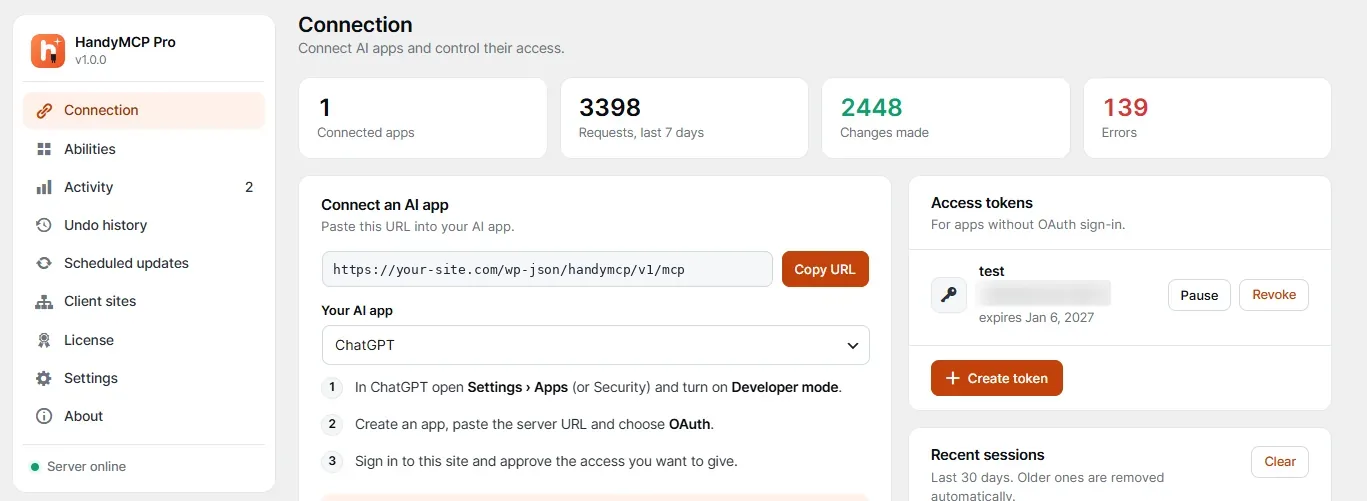
- Open HandyMCP › Connection and copy your server URL. It looks like
https://your-site.com/wp-json/handymcp/v1/mcp. - Pick your AI app on the same screen and follow its steps. For Claude, open Settings › Connectors › Add custom connector. For ChatGPT, turn on Developer mode and create an app with OAuth.
- Sign in to your own site on the page that opens, choose what the AI may do, and approve.
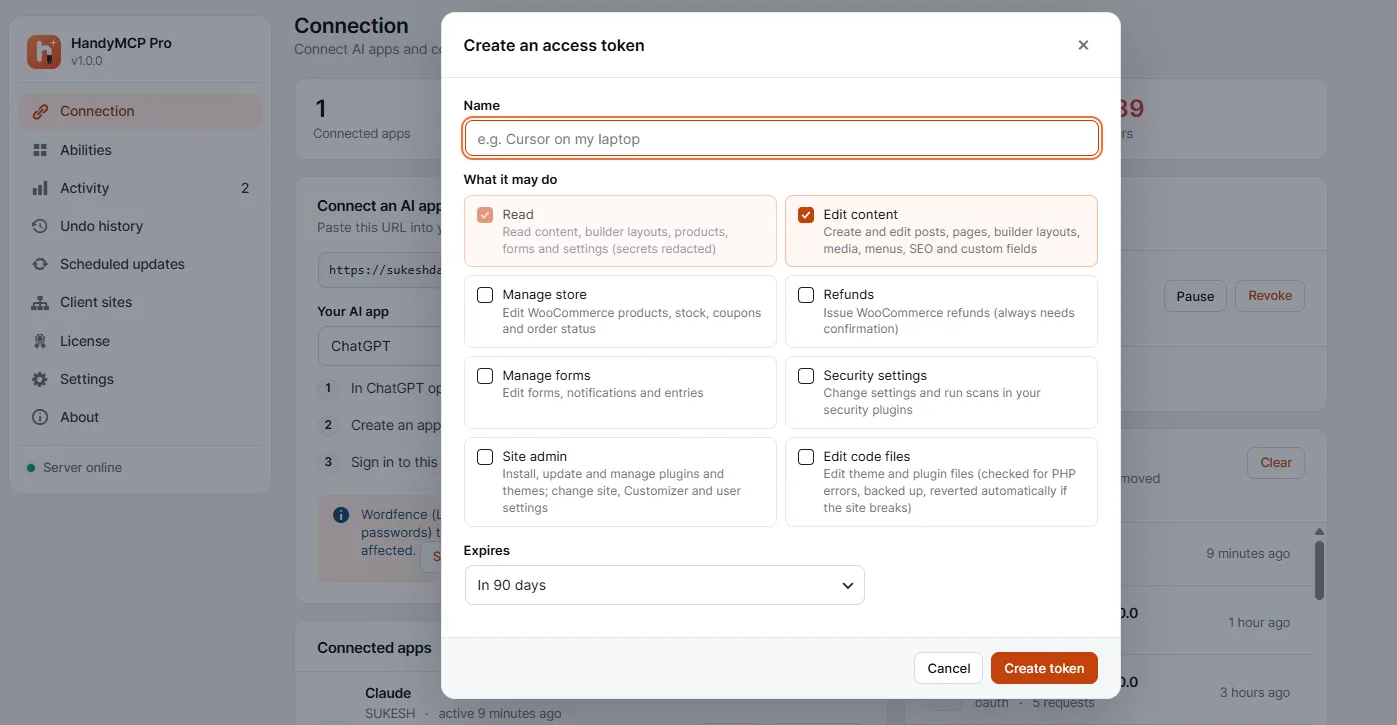
Cursor, VS Code, Windsurf and Claude Code can use an access token instead. You choose exactly what each token may do and when it expires, and you can pause or revoke it any time. There are full guides for connecting Claude to WordPress, connecting ChatGPT to WordPress, connecting Cursor to WordPress and Claude Code with WordPress.
Is it safe to let AI edit a live WordPress site?
This was my first worry too, so safety is built in rather than bolted on:
- Self-hosted, no relay. AI apps talk to your site directly. No vendor server sits in the middle and no account is needed.
- You approve every app and pick scopes: read only, edit content, manage the store, or manage the site.
- Undo for every change. The free plugin keeps your last 20 changes; Pro keeps the full history.
- Drafts, not overwrites. Ask for a redesign and HandyMCP makes a draft copy and leaves the live page alone.
- Read-only mode for audits and client sites you only monitor, plus rate limits and an activity log of every request.
I wrote more about this in is it safe to let AI edit a live WordPress site and how to undo AI changes in WordPress.
What can the free WordPress MCP plugin do?
The free version is not a demo. It has more than 80 tools and covers most day-to-day work:
- Posts, pages, media, menus, categories and tags.
- Gutenberg and Elementor pages, widgets, templates, global colors and fonts. See Elementor MCP for examples.
- Stock photos from Openverse, Pexels and Unsplash with alt text and credit, plus free stock videos from Pexels.
- SEO titles and descriptions in Yoast SEO and Rank Math.
- WooCommerce products, prices, stock and categories, and viewing orders. More in WooCommerce MCP.
- Contact Form 7 and WPForms forms, and read-only Gravity Forms entries.
- An activity log, OAuth sign-in, roles, rate limits and undo for the last 20 changes.
What does HandyMCP Pro add?
Pro is for people who run real stores and client sites. It adds every other page builder (Elementor Pro Theme Builder, WPBakery, Divi, Beaver Builder and Avada), full WooCommerce with variations, coupons, refunds, customers and sales reports, all SEO plugins with bulk fixes, WPML, Polylang, ACF and JetEngine, and the full undo history.
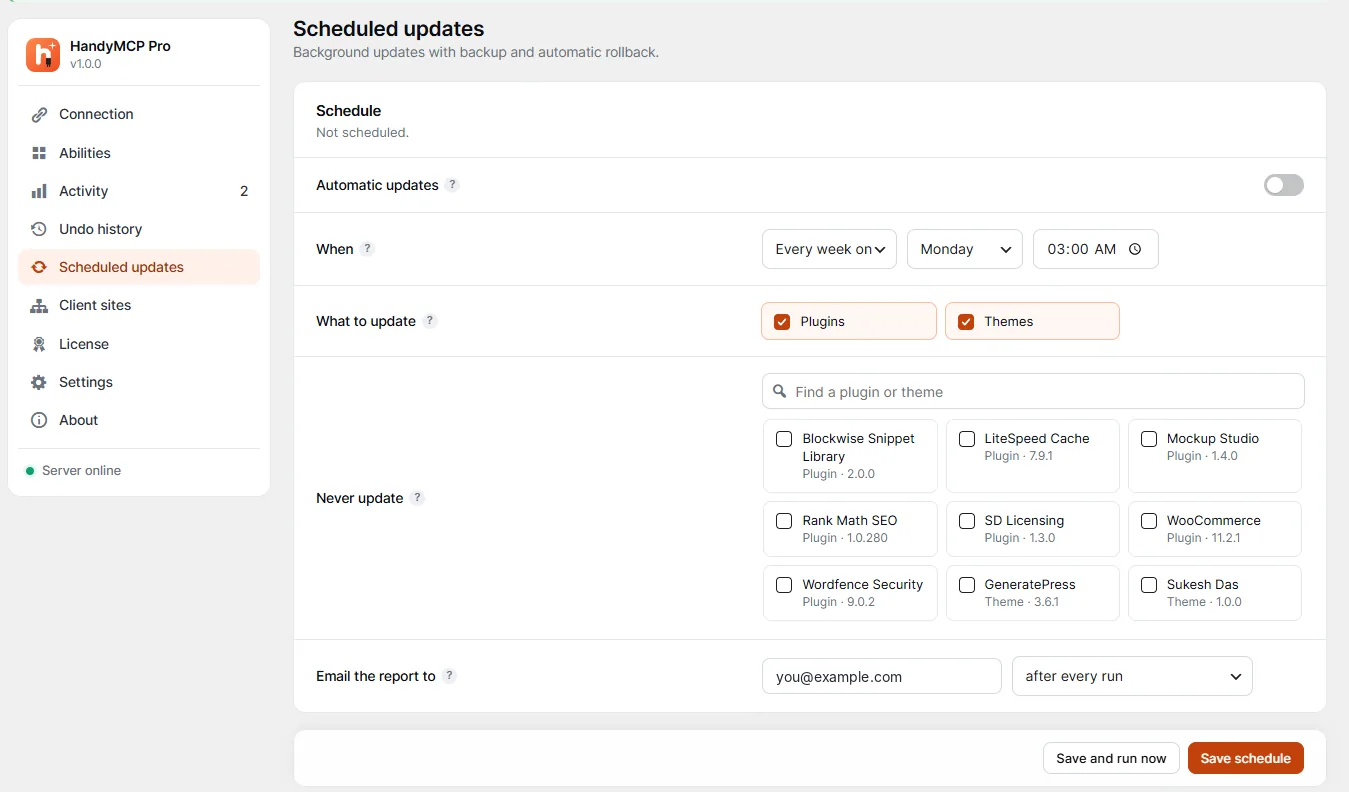
The part I use most is safe scheduled updates. Each plugin and theme is backed up first, then the home page, login, REST API and admin-ajax are checked. If an update breaks the site, the old version goes back on its own and the email report tells you which plugin did it. WordPress auto-updates leave a broken site broken. Read how to update WordPress plugins safely with AI.
How HandyMCP helps WordPress agencies
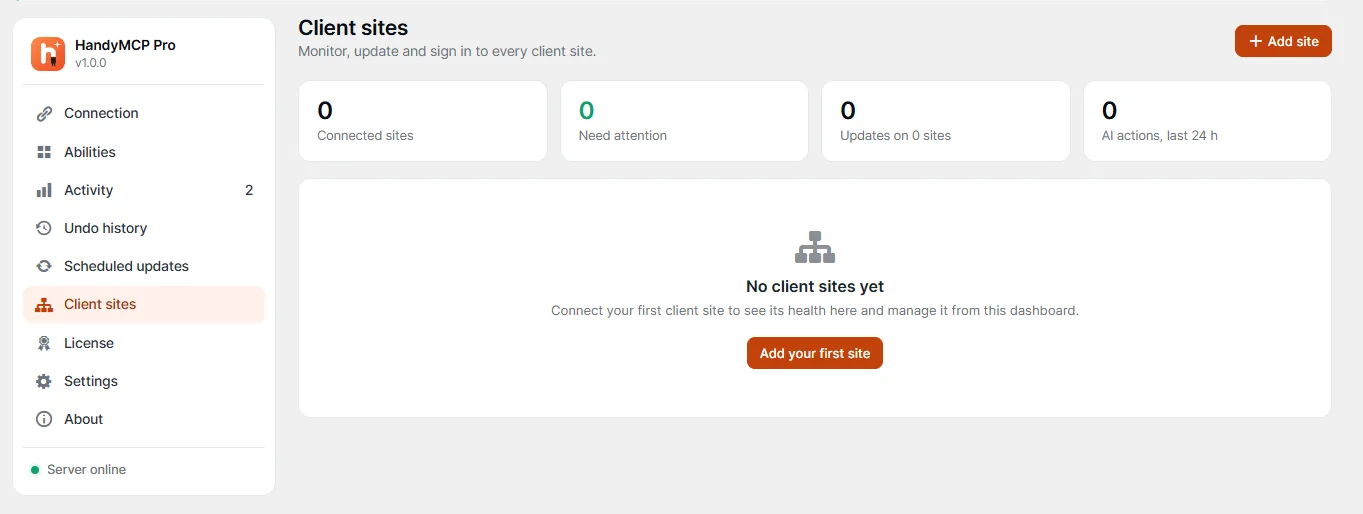
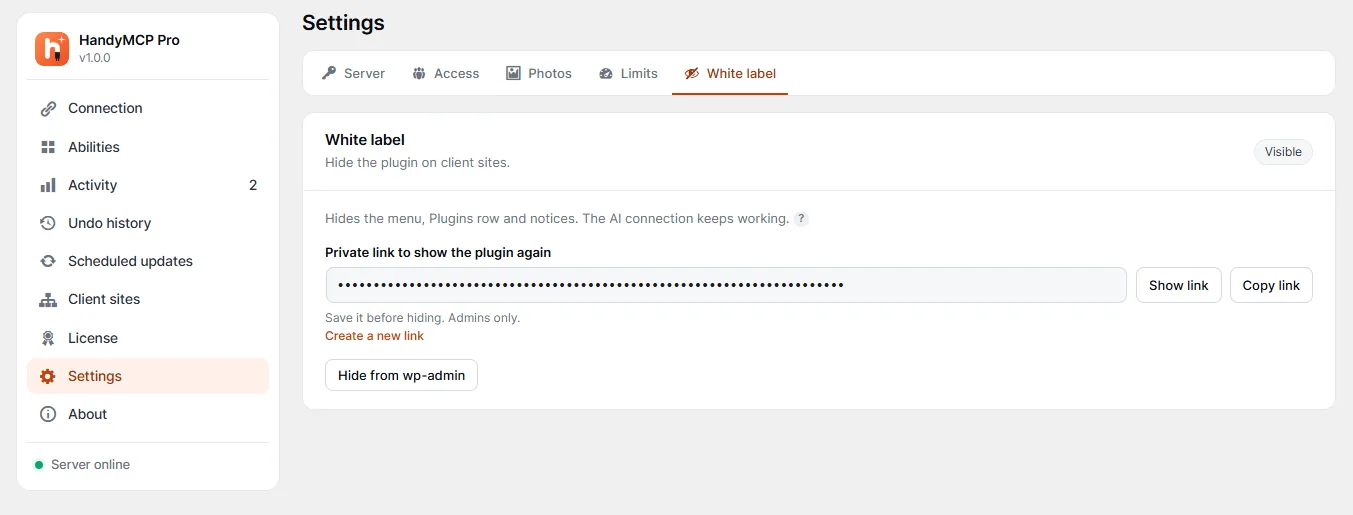
With the Agency plan, one WordPress site becomes a dashboard for all your client sites. You see health, versions, pending updates and AI errors at a glance, update plugins on one site or many, and sign in to any client wp-admin with one click. Your AI app connects once, to the hub, and can work on every site. White label hides the plugin on client sites so they see a clean dashboard. More in AI for WordPress agencies.
How does HandyMCP compare with other WordPress MCP plugins?
People often ask me about AI Engine, WPVibe, Easy MCP AI, Royal MCP and the official WordPress MCP Adapter. Each has its place. Here is where HandyMCP is different:
| Question | HandyMCP |
|---|---|
| Does it run on my own site? | Yes. No relay, no vendor account |
| Daily limits, credits or per-call fees? | None, on free or Pro |
| Can it edit Elementor with real widgets? | Yes, including addon widgets in Pro |
| Can I undo what the AI changed? | Yes, per change, per task or per page |
| Does it handle WooCommerce? | Yes, products in free and the full store in Pro |
| Is there a free version? | Yes |
For the full picture, read the best WordPress MCP server plugins compared, HandyMCP vs AI Engine and WordPress MCP Adapter vs plugins vs relays.
Prompts I use every week
- “Build a draft Elementor landing page for my webinar with a hero, three benefits, an FAQ and a contact form. Use my global colors.”
- “Write SEO titles and meta descriptions for pages that are missing one. Show me the list before saving.”
- “Put all hoodies on a 15 percent sale until Sunday and show me the before and after.”
- “Update all plugins safely and tell me what changed.”
- “Scan the site for malware with Wordfence and show me what you found before cleaning anything.”
There are 28 more in my Claude prompts for WordPress list and the HandyMCP prompt library.
Try it free
Get the free plugin from handymcp.com. If you want every Pro feature, start a 7-day free trial of HandyMCP Pro: no card needed, and you keep the same key if you buy. The documentation walks through every screen, and the troubleshooting guide covers the usual connection problems.
WordPress MCP plugin FAQs
What is the best WordPress MCP plugin?
It depends on what you need. If you want a free WordPress MCP plugin that runs on your own site with no daily limits, edits Elementor and WooCommerce, and can undo every AI change, HandyMCP was built for exactly that.
Is there a free WordPress MCP server plugin?
Yes. HandyMCP has a free version with more than 80 tools, Gutenberg and Elementor editing, WooCommerce products, SEO fields, stock photos, an activity log and undo.
How do I connect Claude to WordPress?
Install HandyMCP, copy the server URL from HandyMCP, Connection, then in Claude open Settings, Connectors, Add custom connector, paste the URL and approve it on your site.
Can I connect ChatGPT to WordPress?
Yes. Turn on Developer mode in ChatGPT, create an app with your HandyMCP server URL and choose OAuth, then sign in to your site and approve.
Does HandyMCP work with Cursor and Claude Code?
Yes. Create an access token in HandyMCP and add the server URL and token to the MCP settings of Cursor, VS Code, Windsurf or Claude Code.
Can I undo AI changes in WordPress?
Yes. HandyMCP saves every change before it happens. Undo one change, a whole task or every change on a page, or just ask the AI to undo it.
Can AI update WordPress plugins safely?
With HandyMCP Pro, yes. Each update is backed up, the site is checked afterwards, and the old version is restored automatically if anything breaks.
Does HandyMCP have daily limits or fees?
No. There are no daily limits, credits, page limits or per-call fees on the free plugin or on Pro. Your AI app may have its own message limits.
Want help setting it up?
If you want AI working on your WordPress or WooCommerce site but would rather have someone set it up properly, that is the kind of work I do every week. Send me a short brief and I will reply within one working day.
Related guides: find out what a website is built with, AI SEO for Squarespace and free floating WhatsApp button.